Designing an assessment results screen young students can understand
Istation · Product Designer · Pre-K–K Assessment Experience
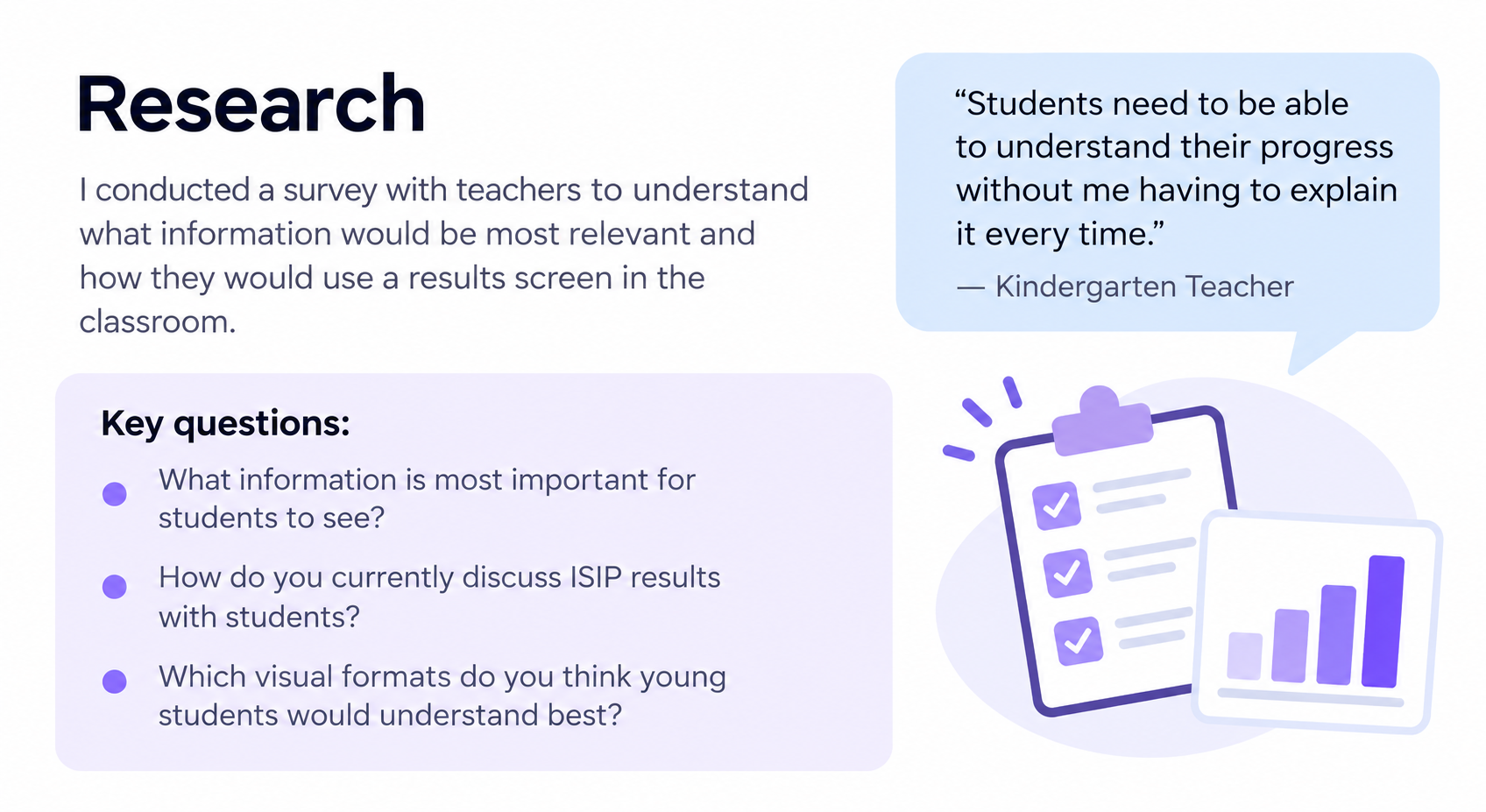
I redesigned the results experience for Istation's monthly ISIP assessment to help Pre-K and Kindergarten students understand their progress and goals without requiring constant teacher assistance.
My role: UX/Product Design
Users: Pre-K–K students and teachers
Methods: Teacher research, surveys, concept testing, wireframing, user flows, prototyping
Collaboration: Product, visual design and engineering
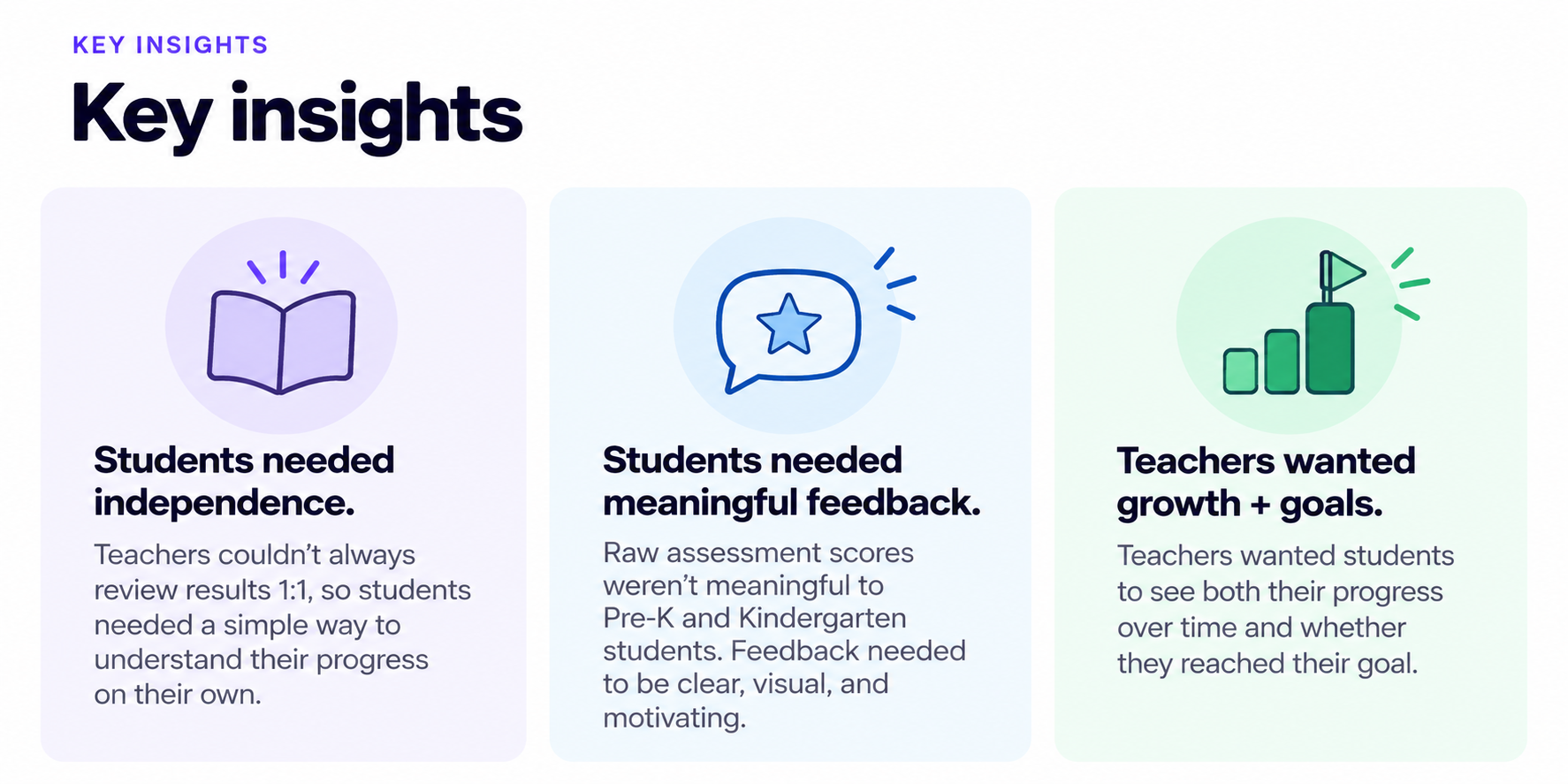
Challenge: Translate complex assessment data into an age-appropriate, motivating experience.
The Challenge
ISIP is an assessment taken once a month by all grade levels. The pre k and kindergarden version of the test didn’t have a results screen. After they finished the test it brought them back to the home screen.
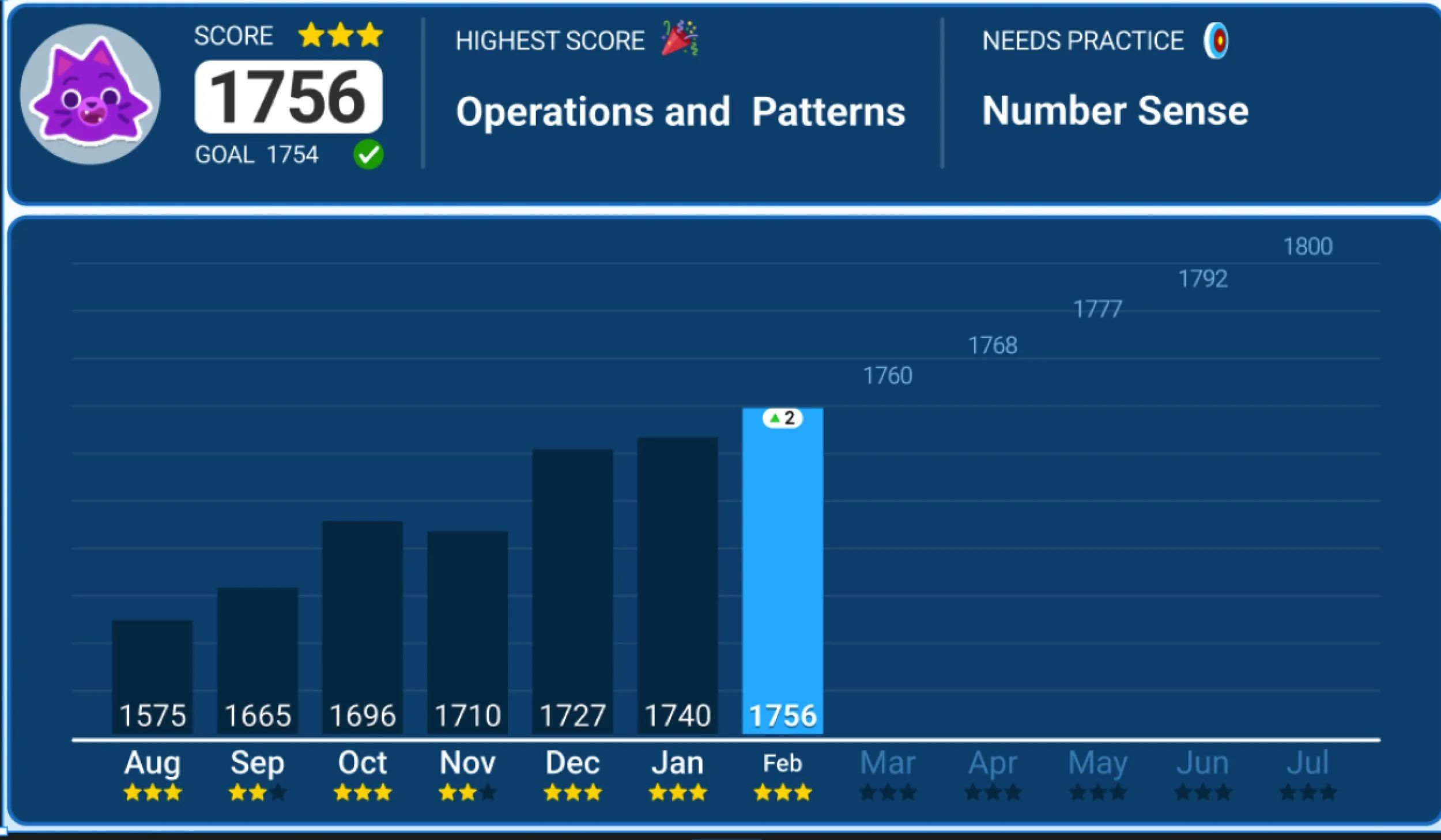
Current results chart for older students
This graph to see their scores and how they have grown. I used this screen as a starting point to simplify it for younger students.
Exploring how to communicate growth
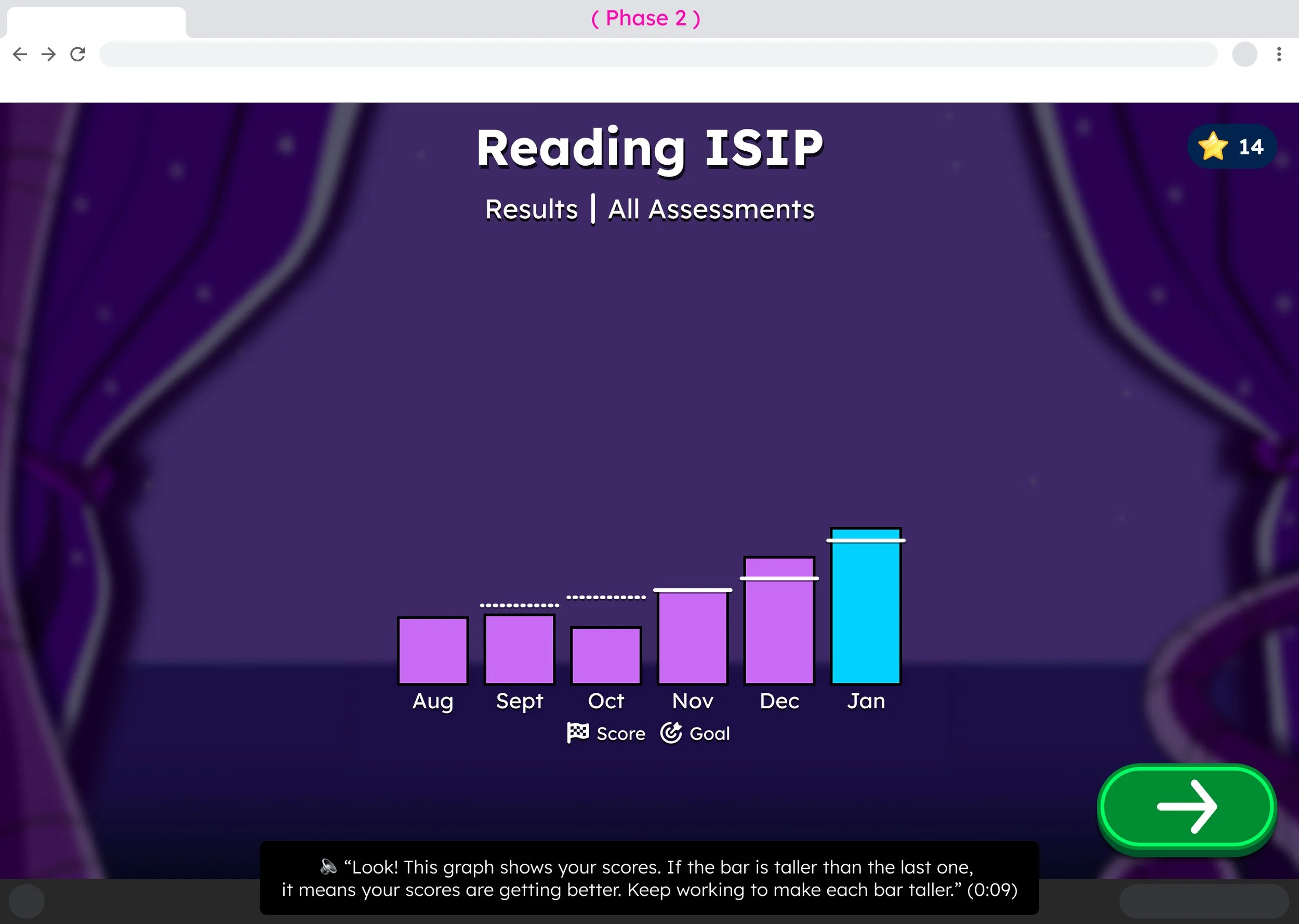
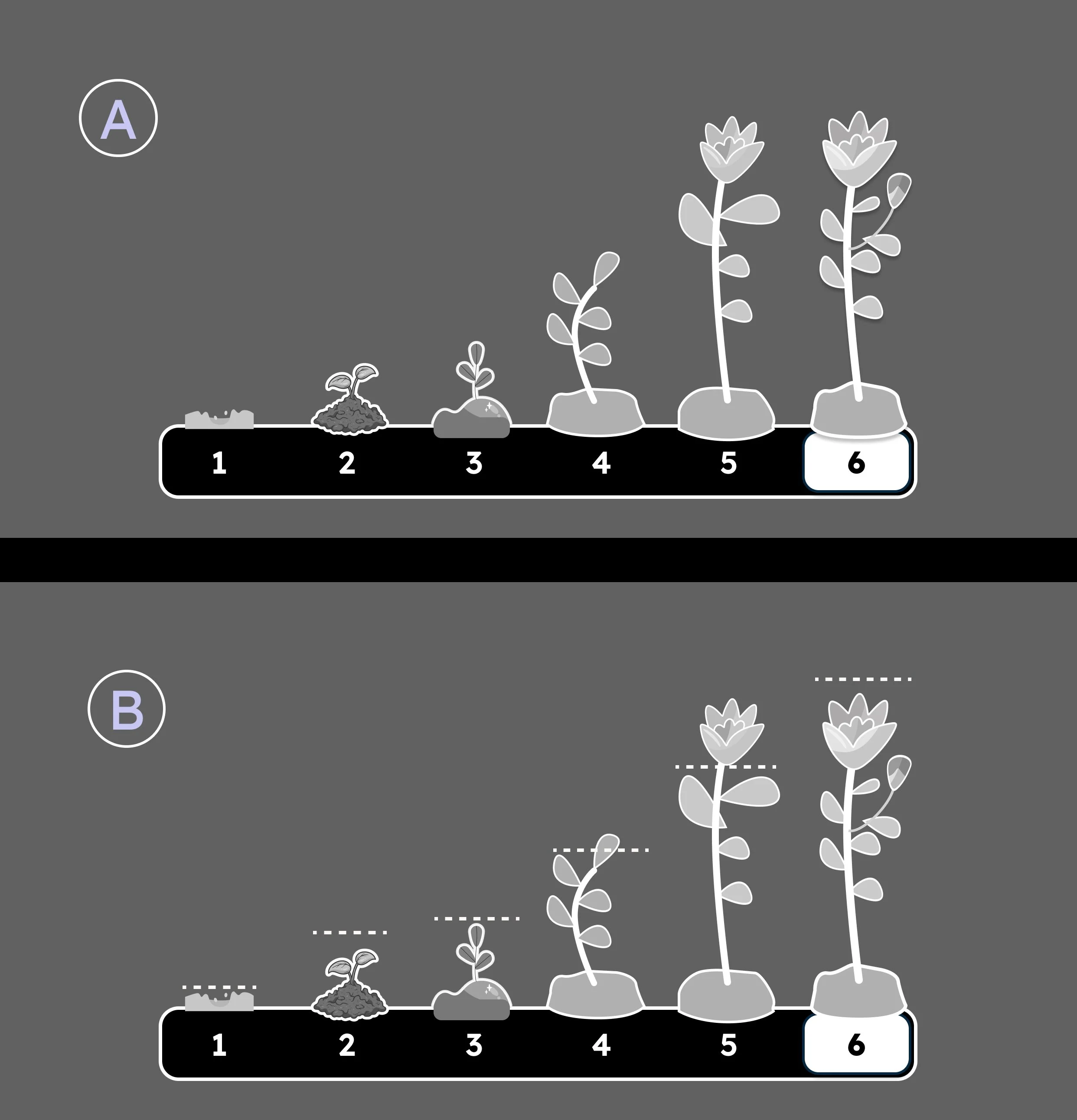
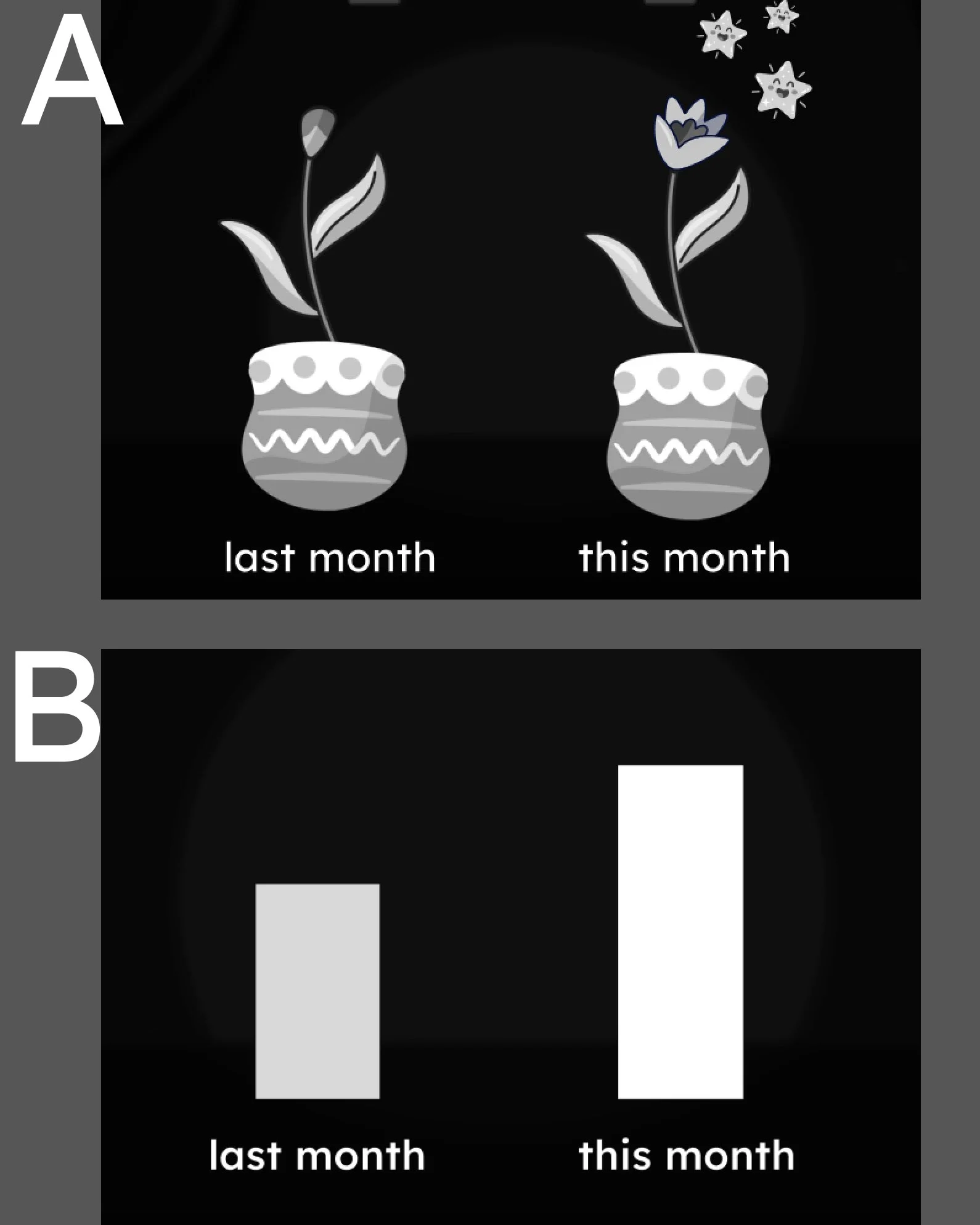
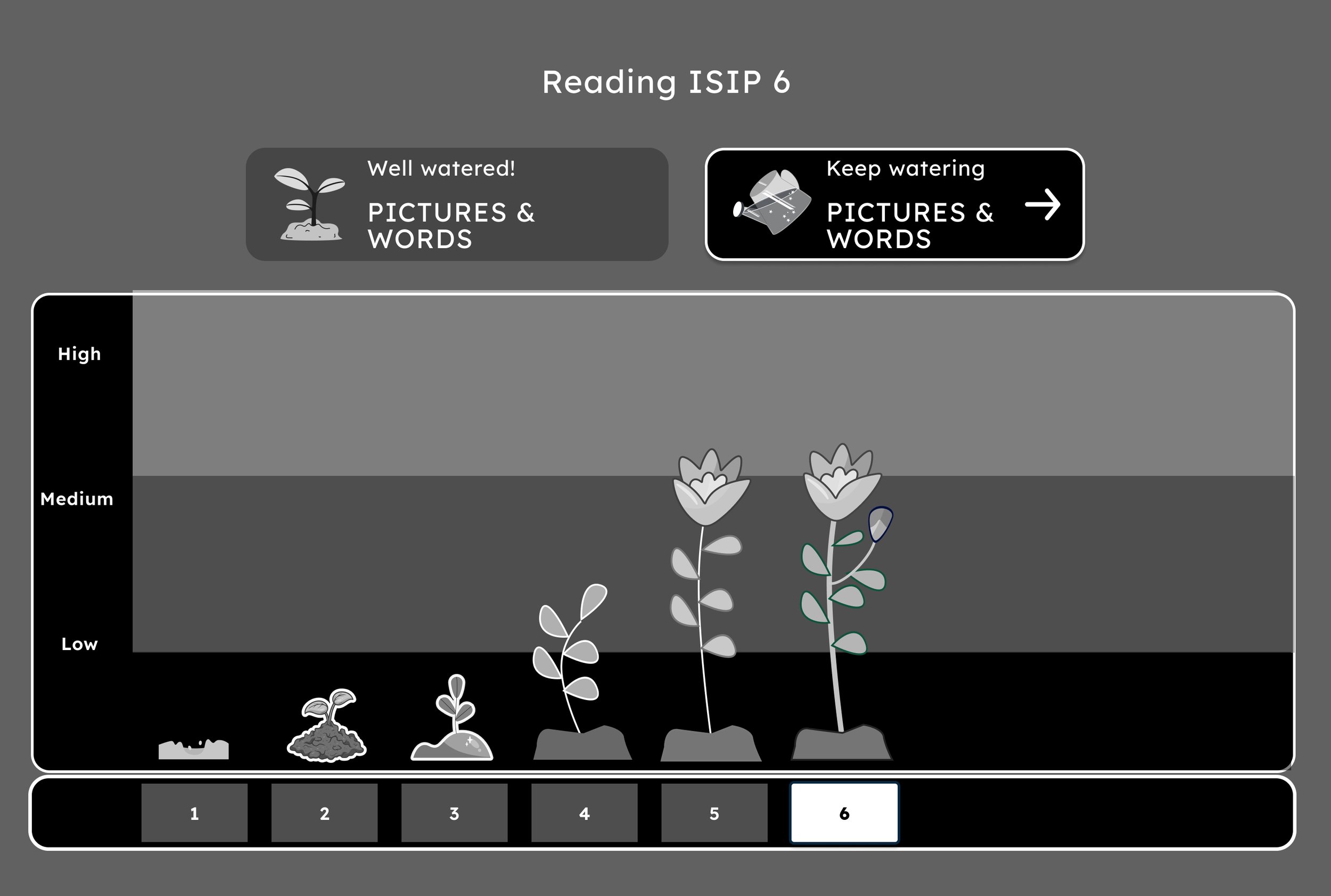
I explored two ways of representing assessment progress: a traditional bar chart and a plant-growth metaphor designed to be understandable to young children.
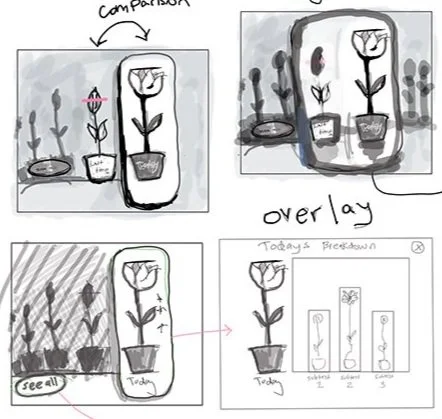
Plant bar
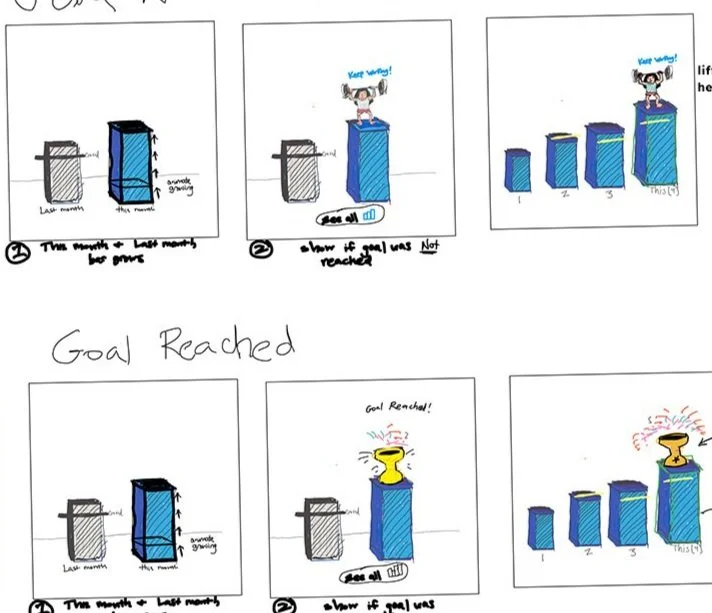
Bar graph
Testing the Concepts
I shared both concepts with teachers. Teachers preferred the plant metaphor for communicating progress.
From concept to design
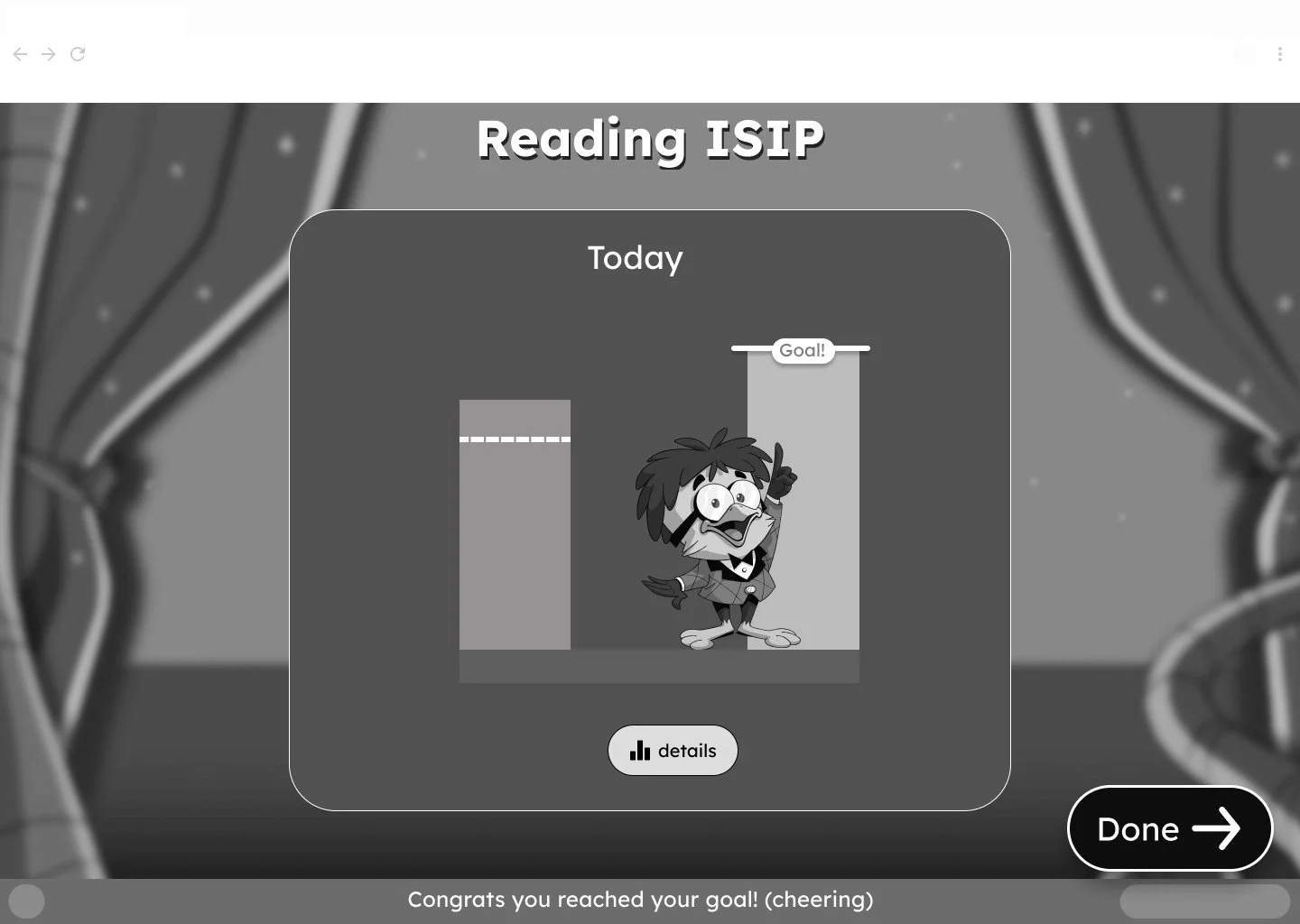
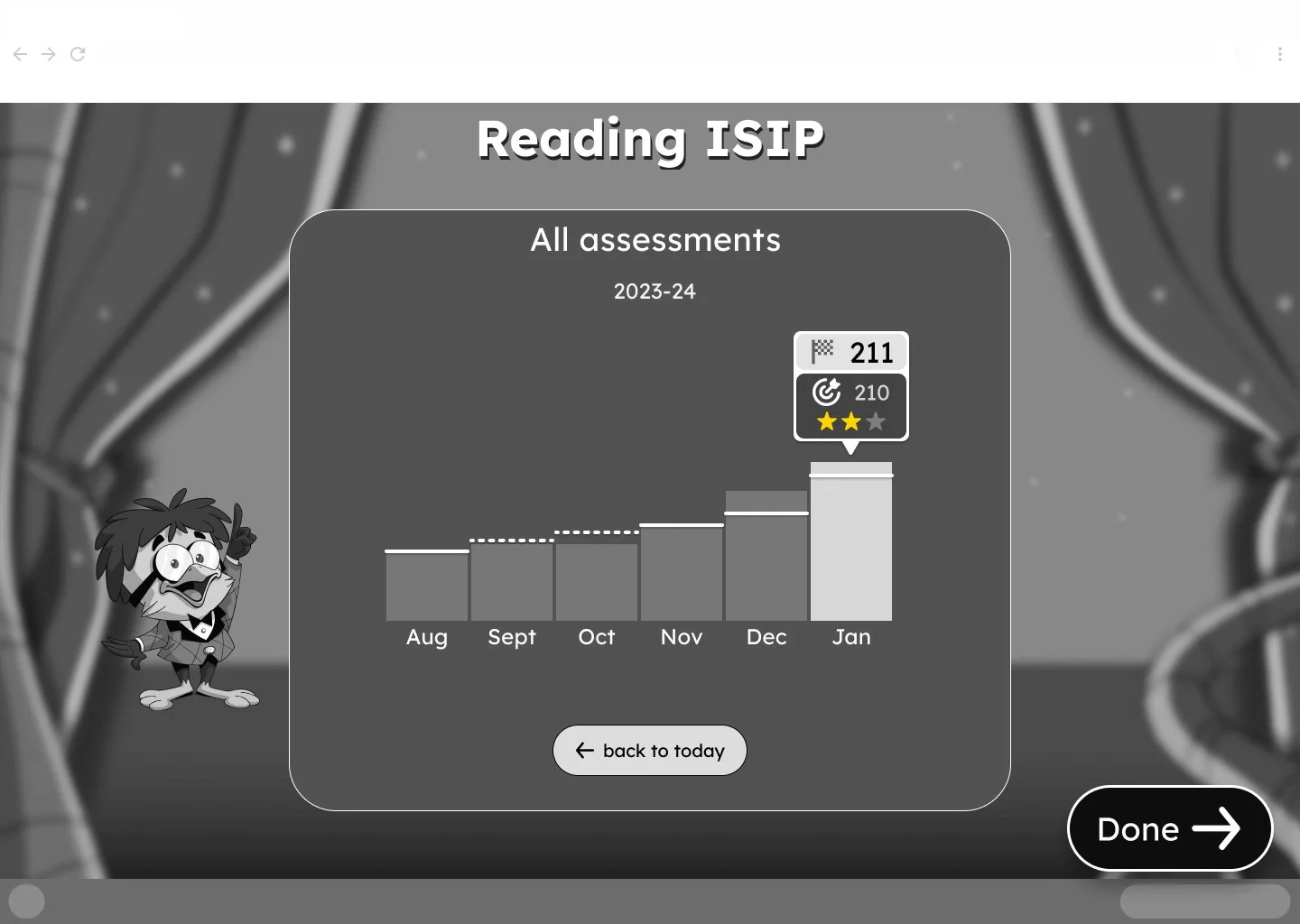
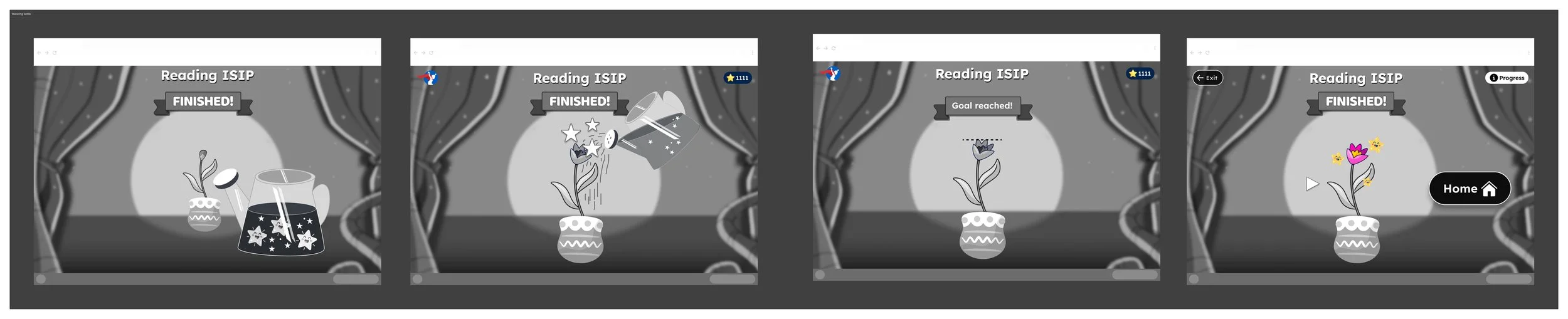
Designing for discoverability
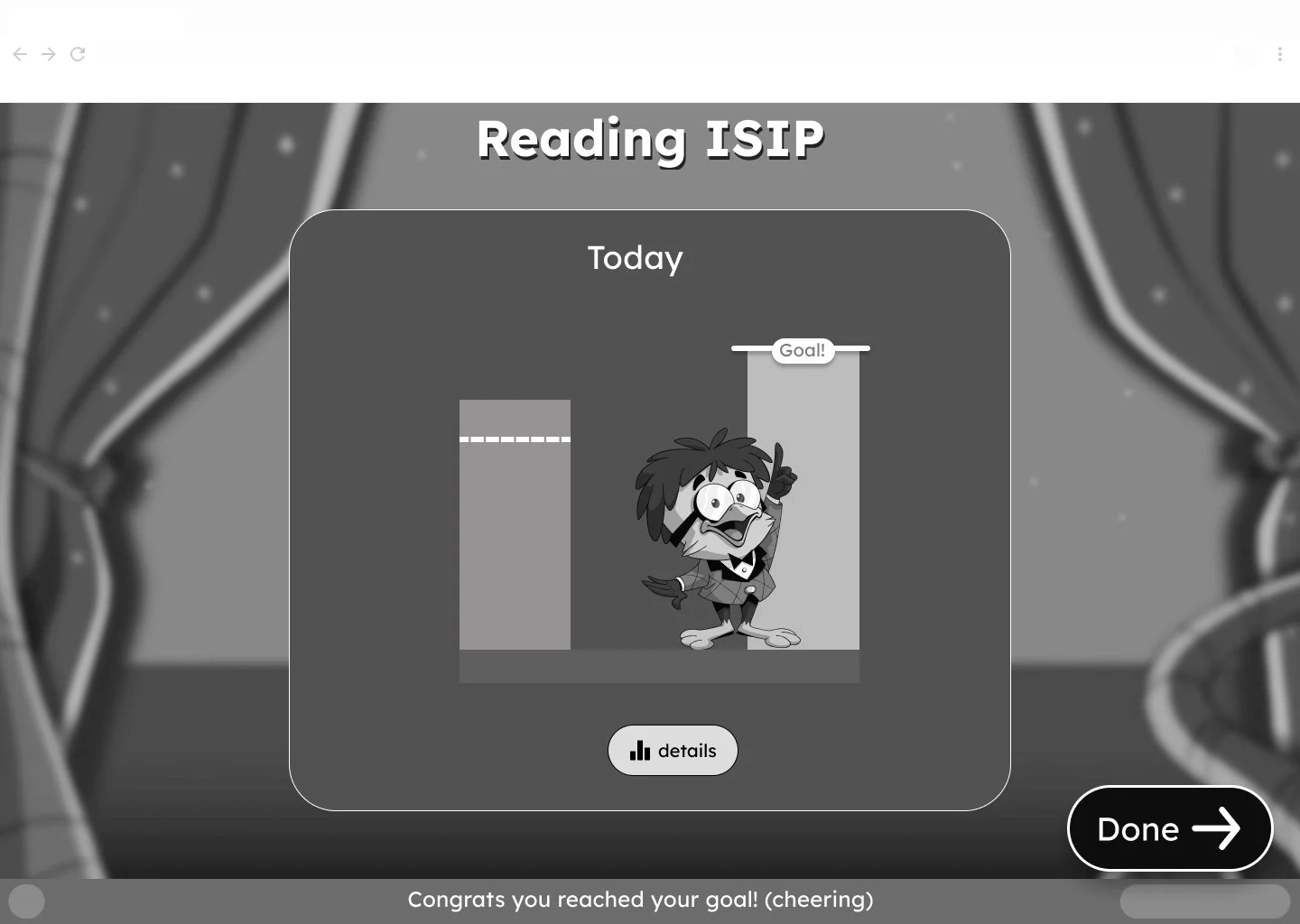
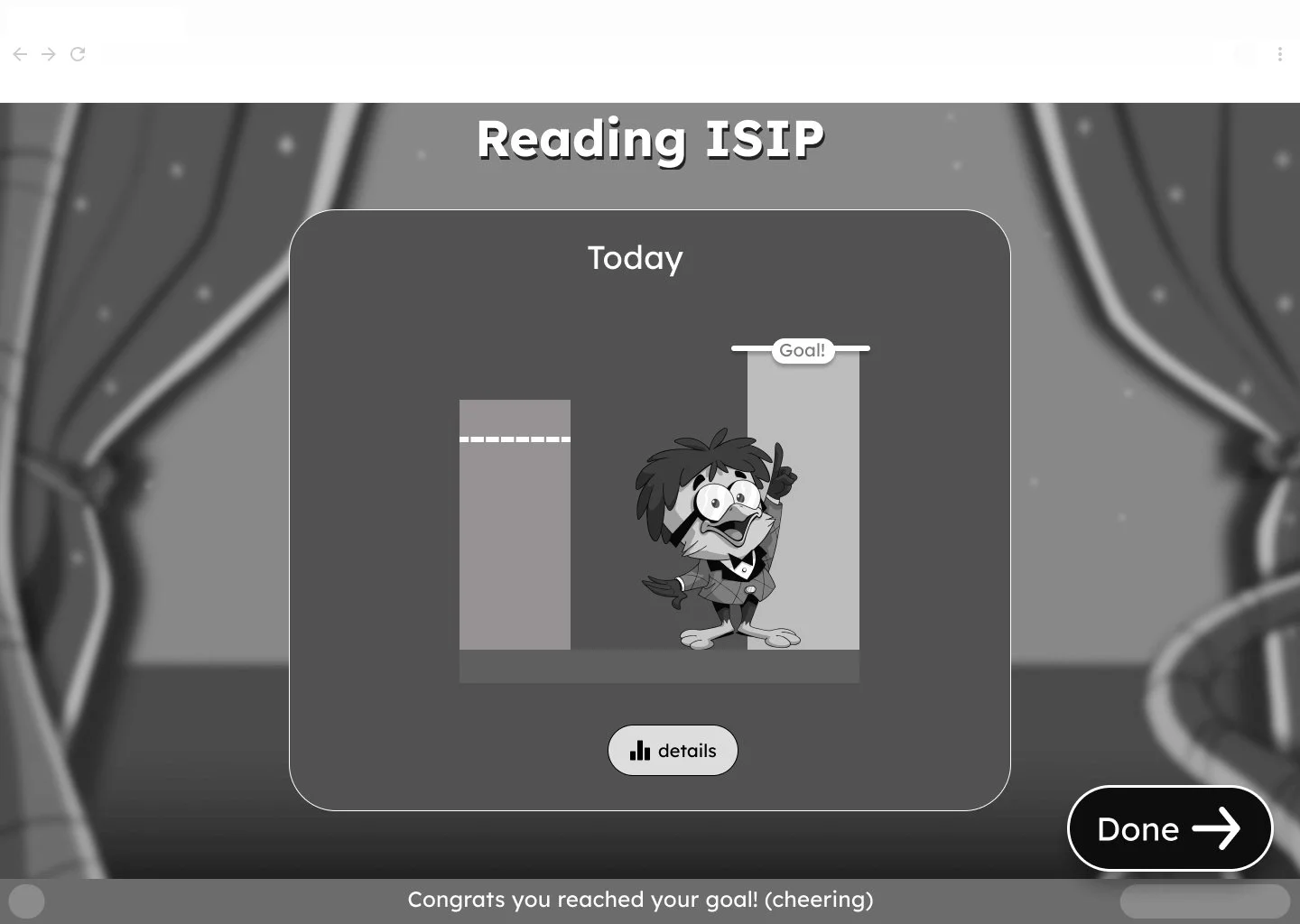
We considered making the graph itself the entry point to the detailed results. I was concerned the young students wouldn’t recognize the graph as interactive, so I advocated for an explicit Details button. The team adopted the more visiable entery point for the final design.
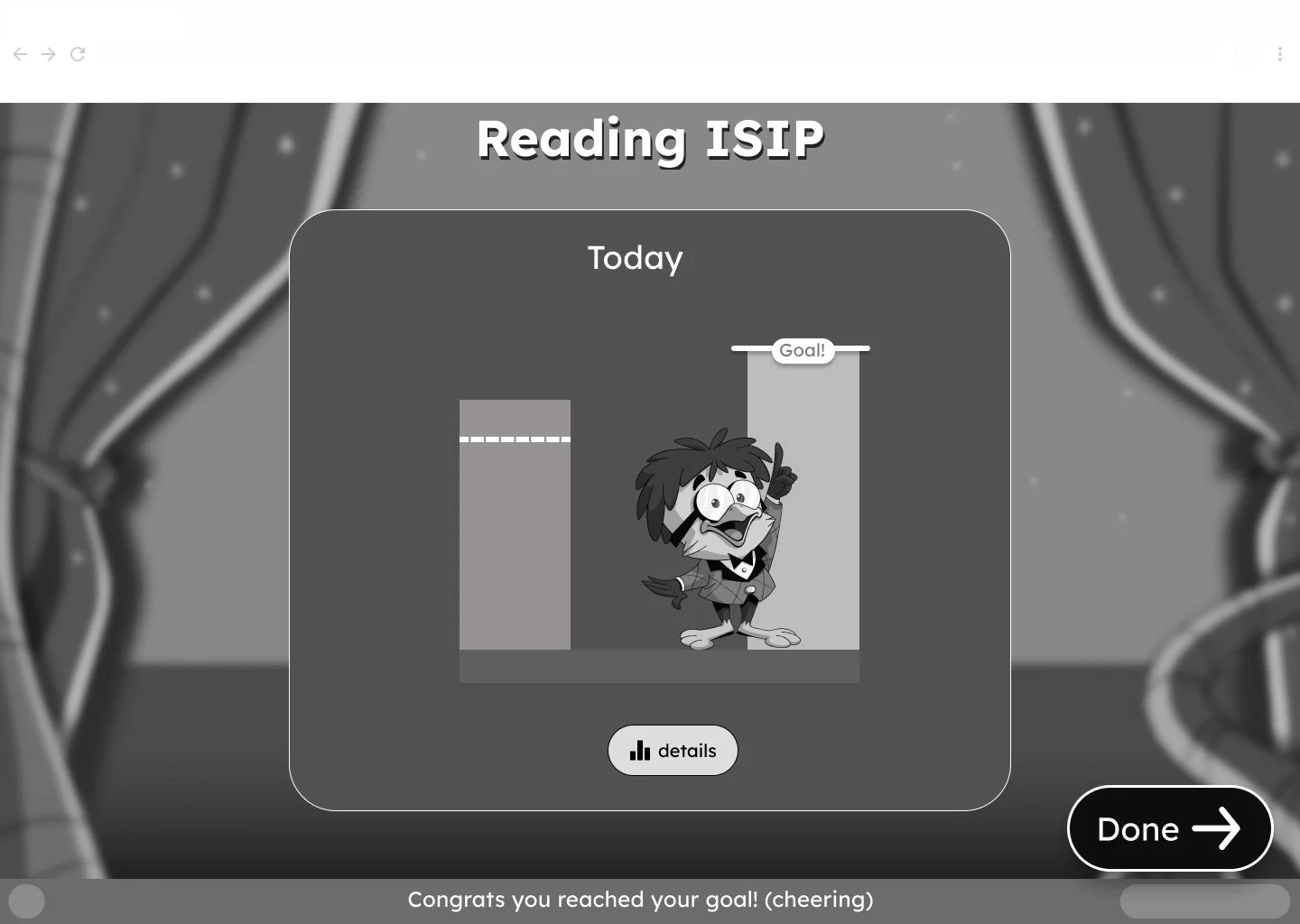
Wireframe I made that has the details button
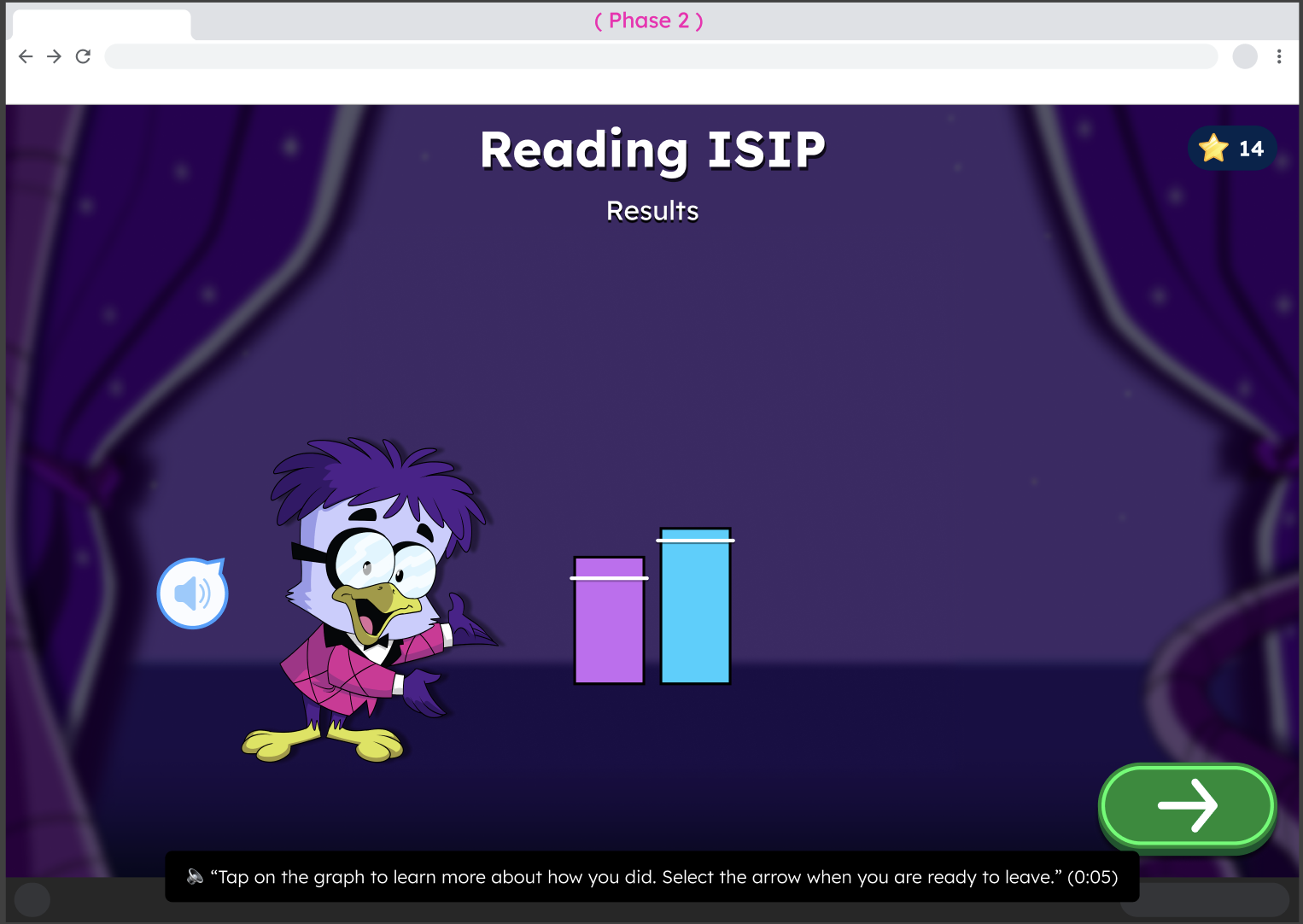
High fidelity doesn’t have the details button at first but I convinced the designer that it was important to be be obvious about how they can see more detail
Final Experience
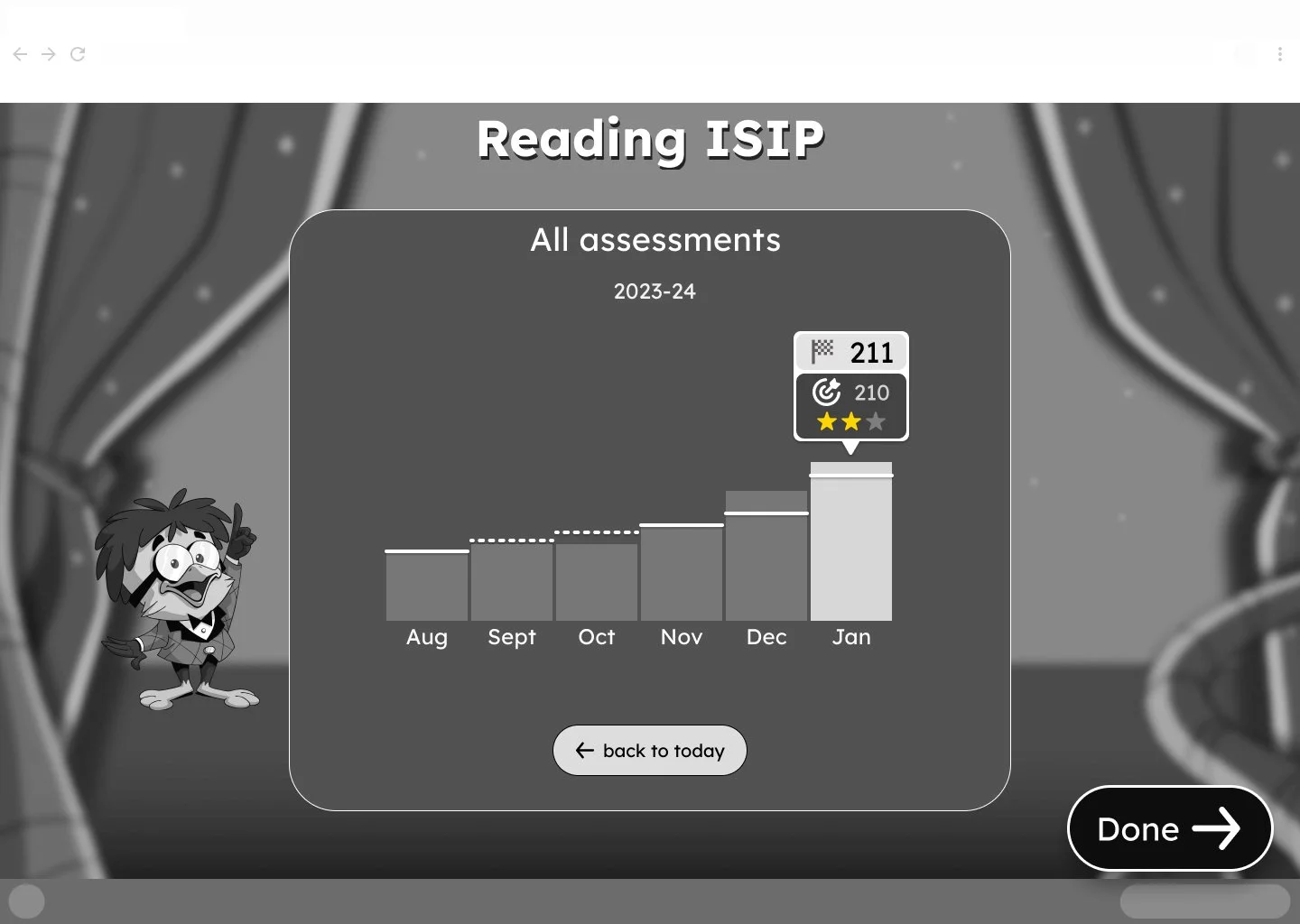
Entire Flow
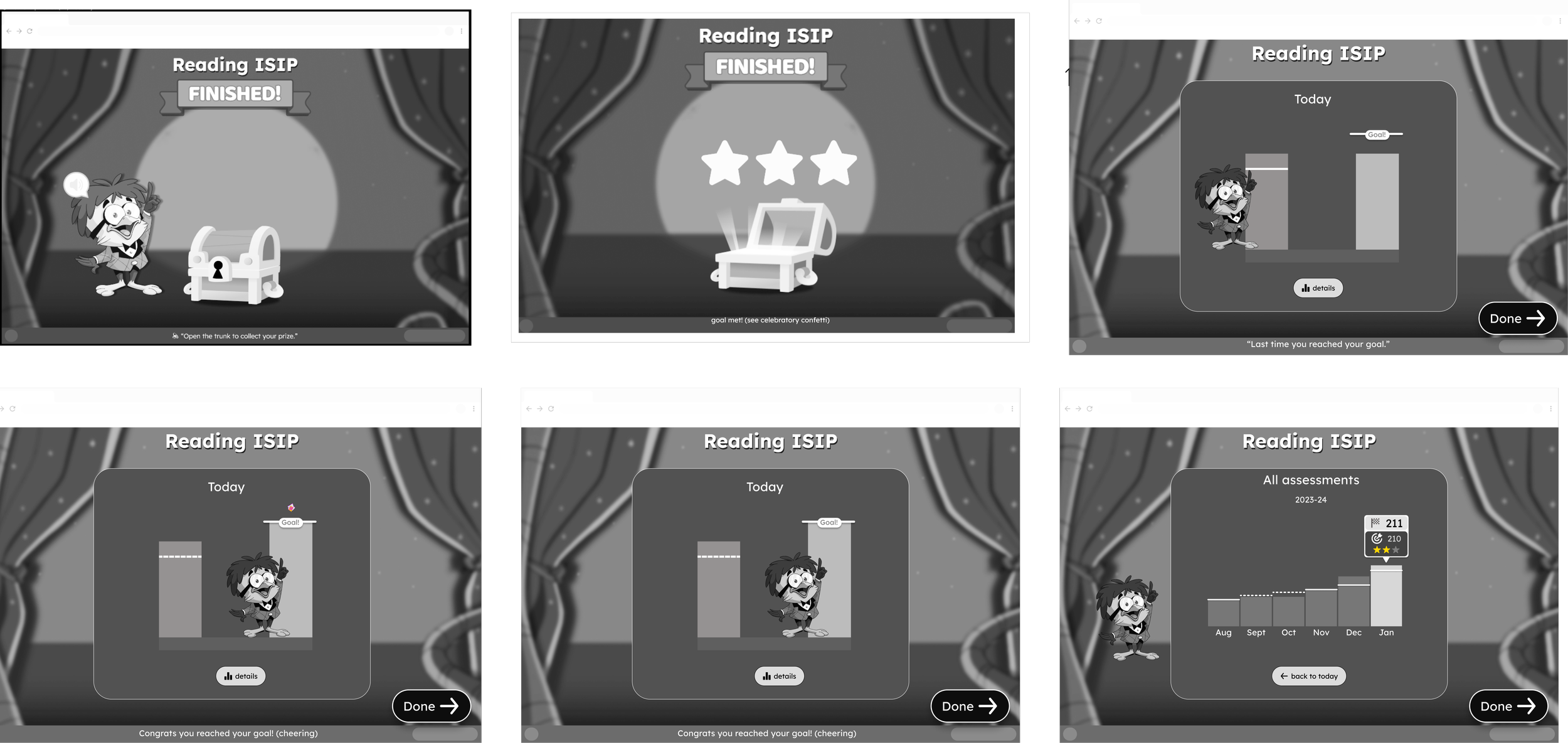
Outcome
Created a results experience for Pre-K and Kindergarten students.
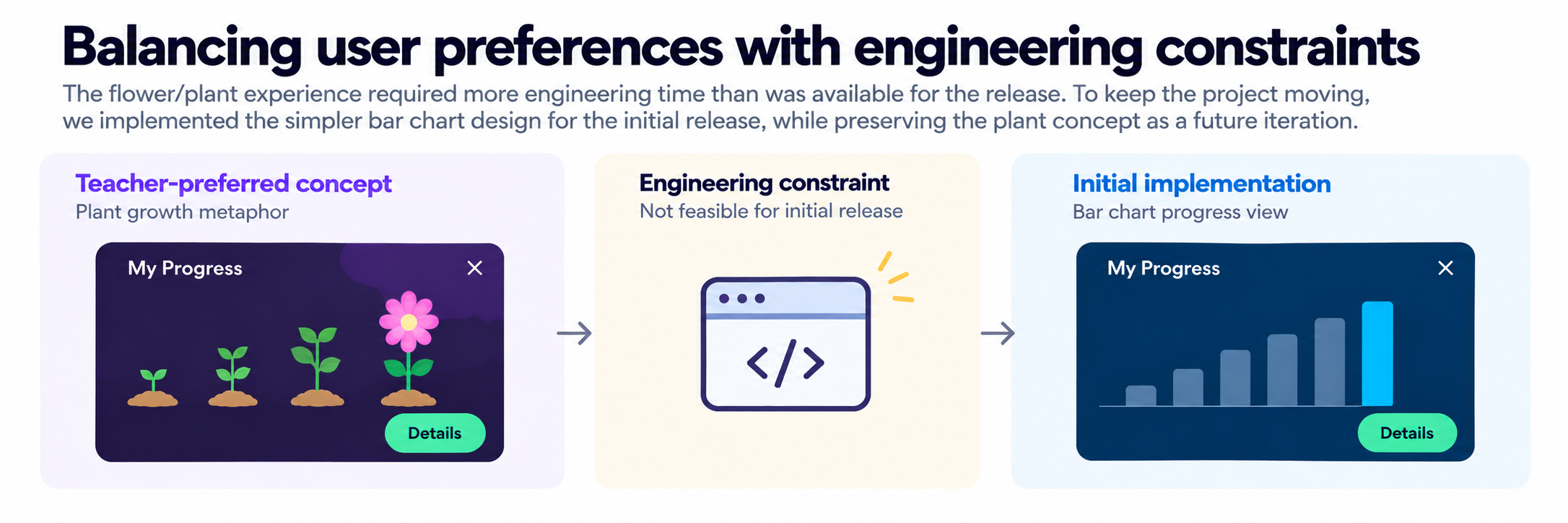
Implemented a bar graph to meet the release timeline.
Made growth, goals, and additional details easier to find.
Retained the teacher-preferred flower concept for future consideration.