Istation’s
“Explore Menu”
Student Agency: A menu where students can choose the lesson they want to work on.
Solving problems: Gamified lessons were built but they needed a place to live and be accesses by students
Competitive Analysis
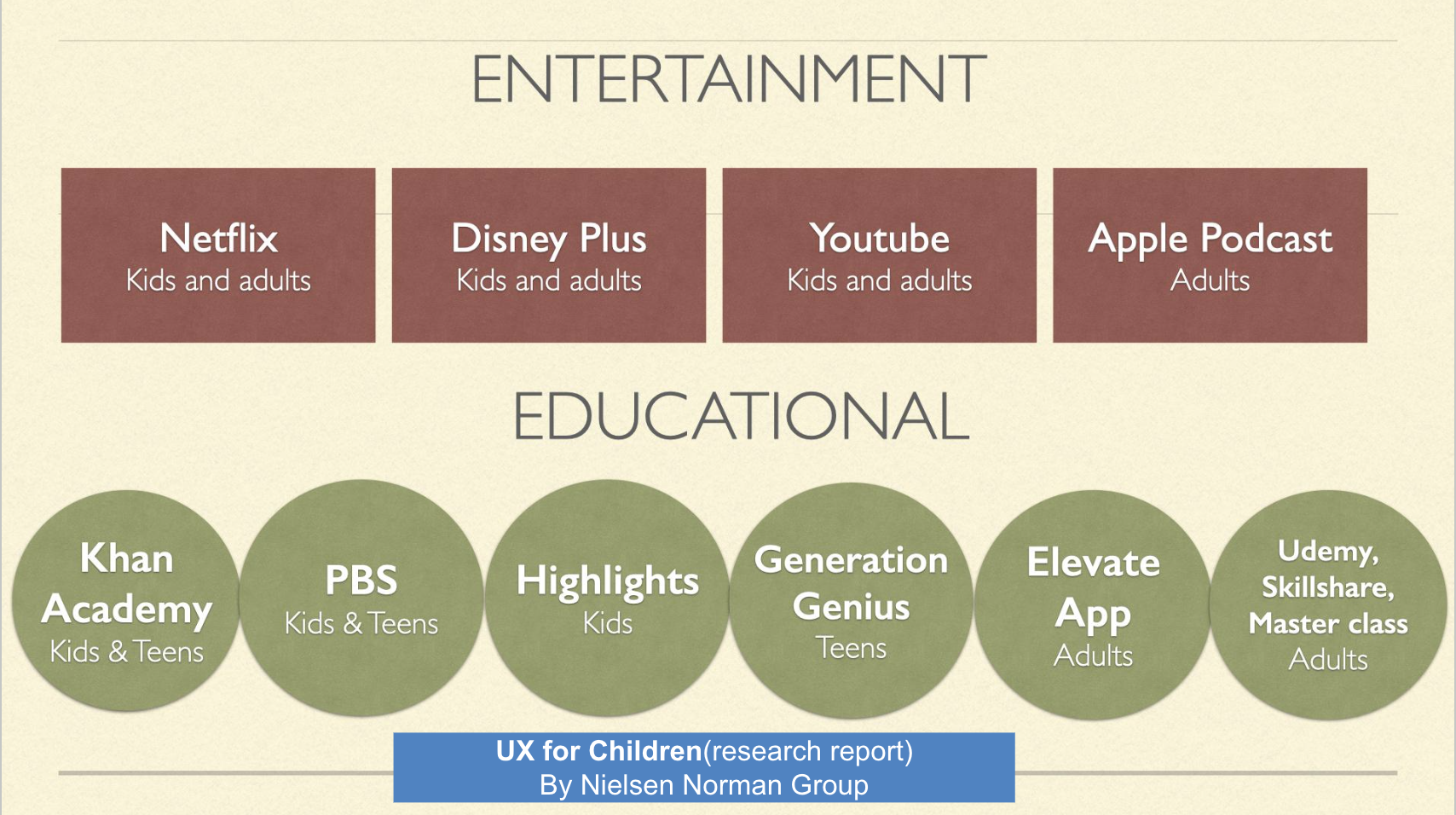
Analyzed competitive and comparable sites
I looked at educational and entertainment sites to see their layouts, card designs and motivational features
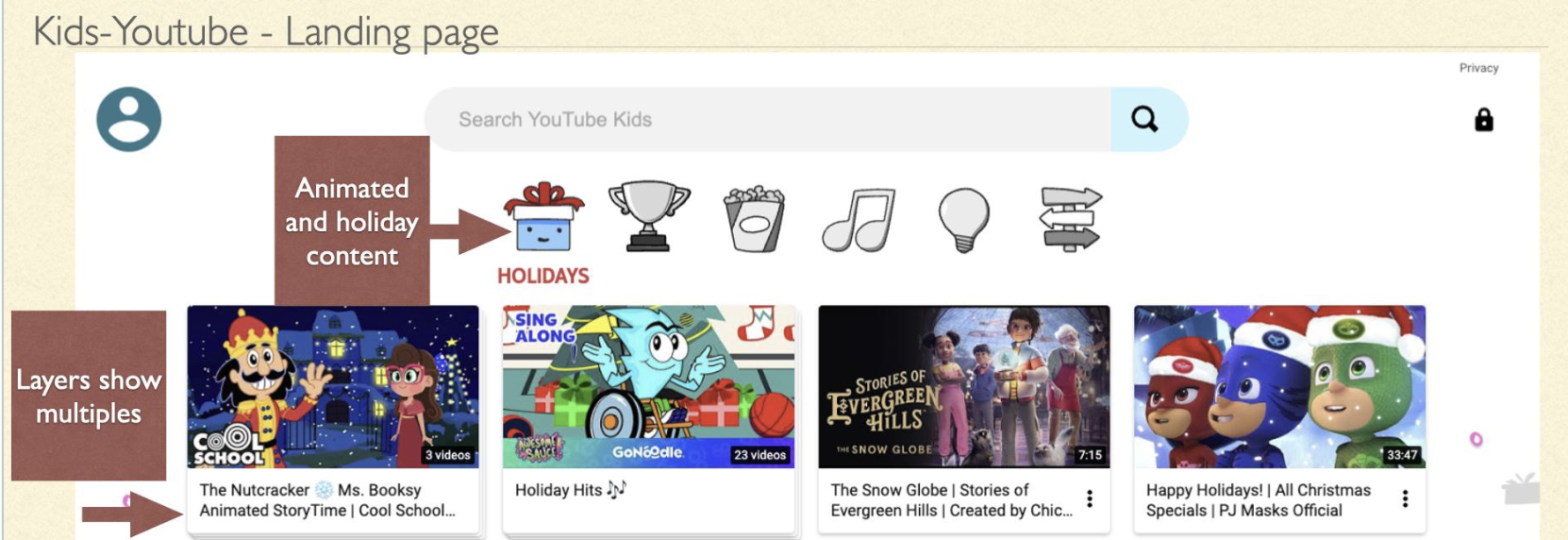
Kids Youtube
Likes:The way they make their cards when there are multiples of something. The top sections being animated illustrations.
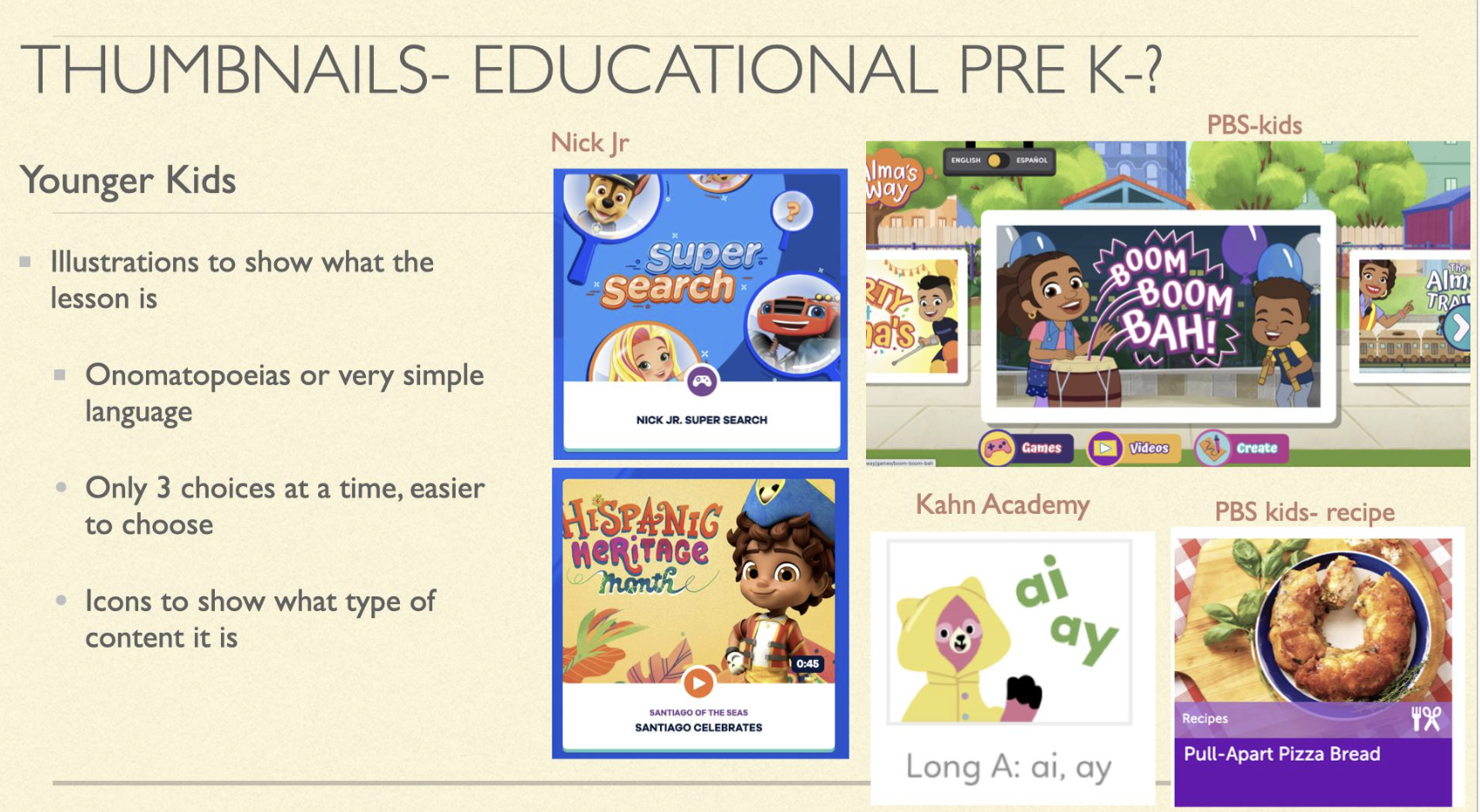
PBS Kids
Pre K-K design
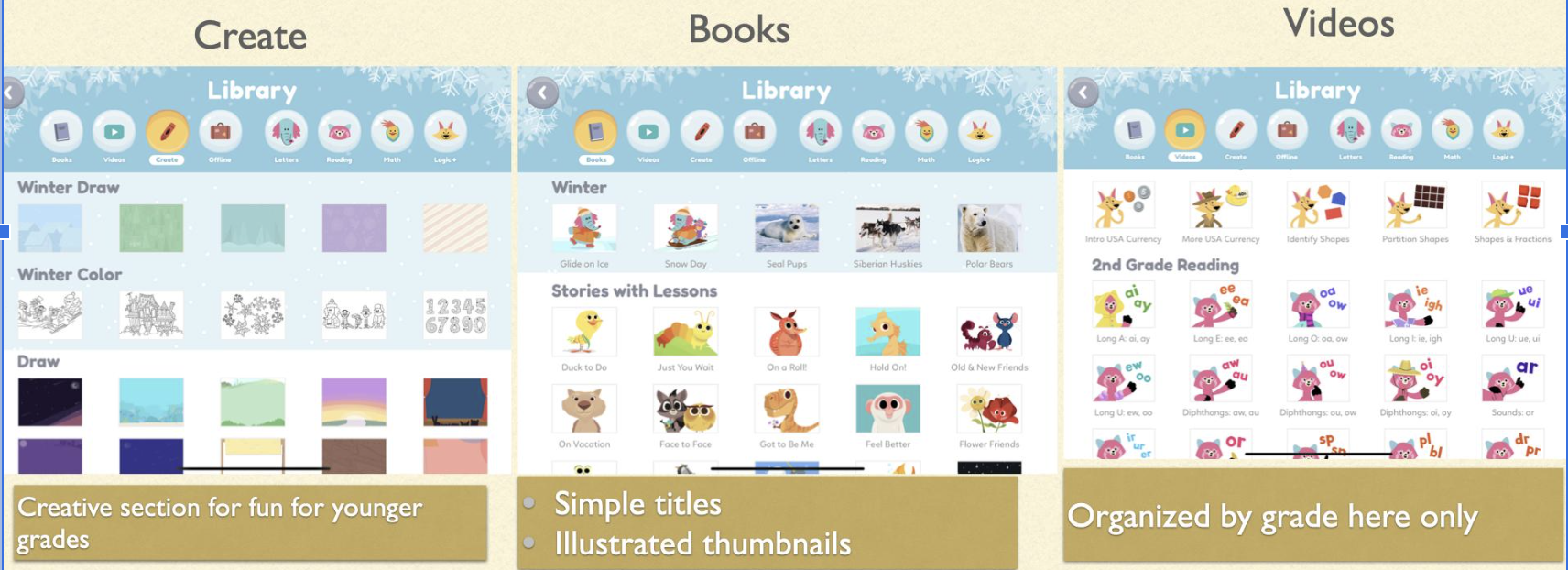
Khan Academy Kids
The sections are engaging especially create.
The content is similar to what we had except we also had interactive lessons
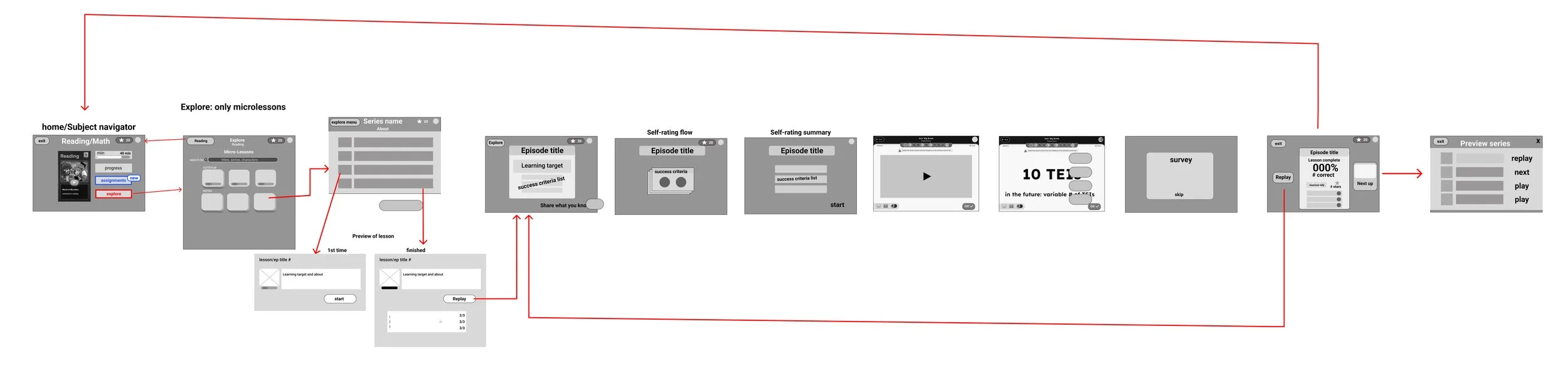
Student Flow Chart
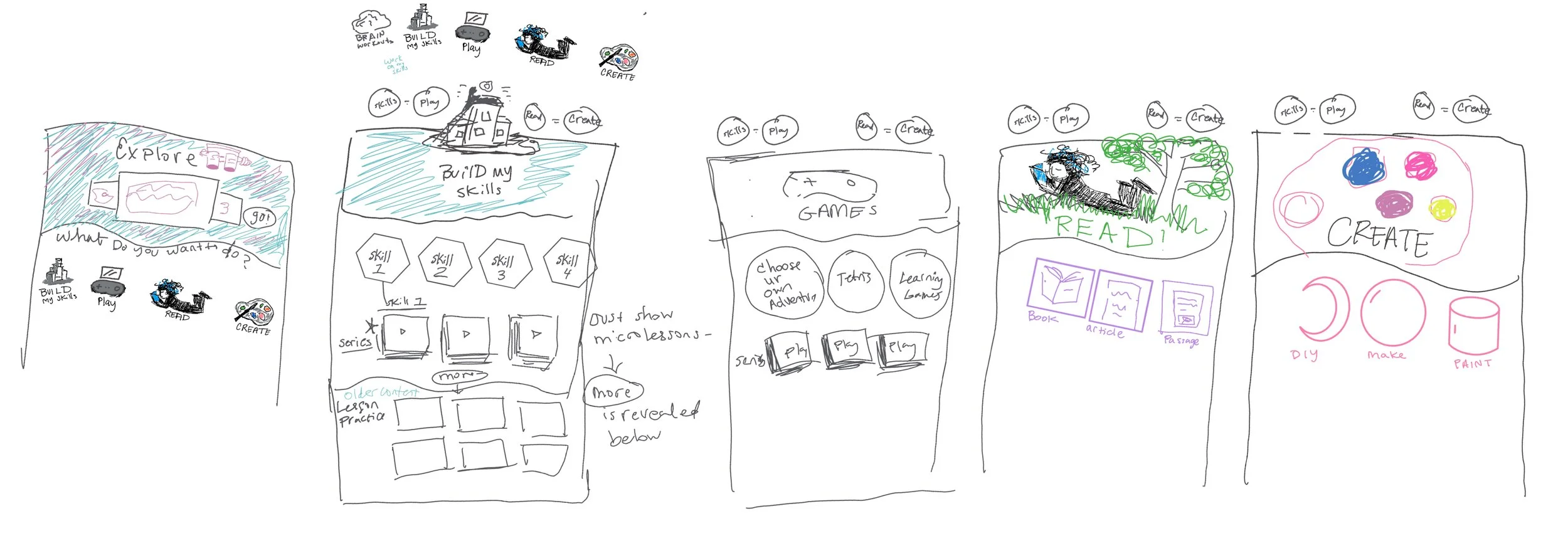
Sketching & Dreaming Big
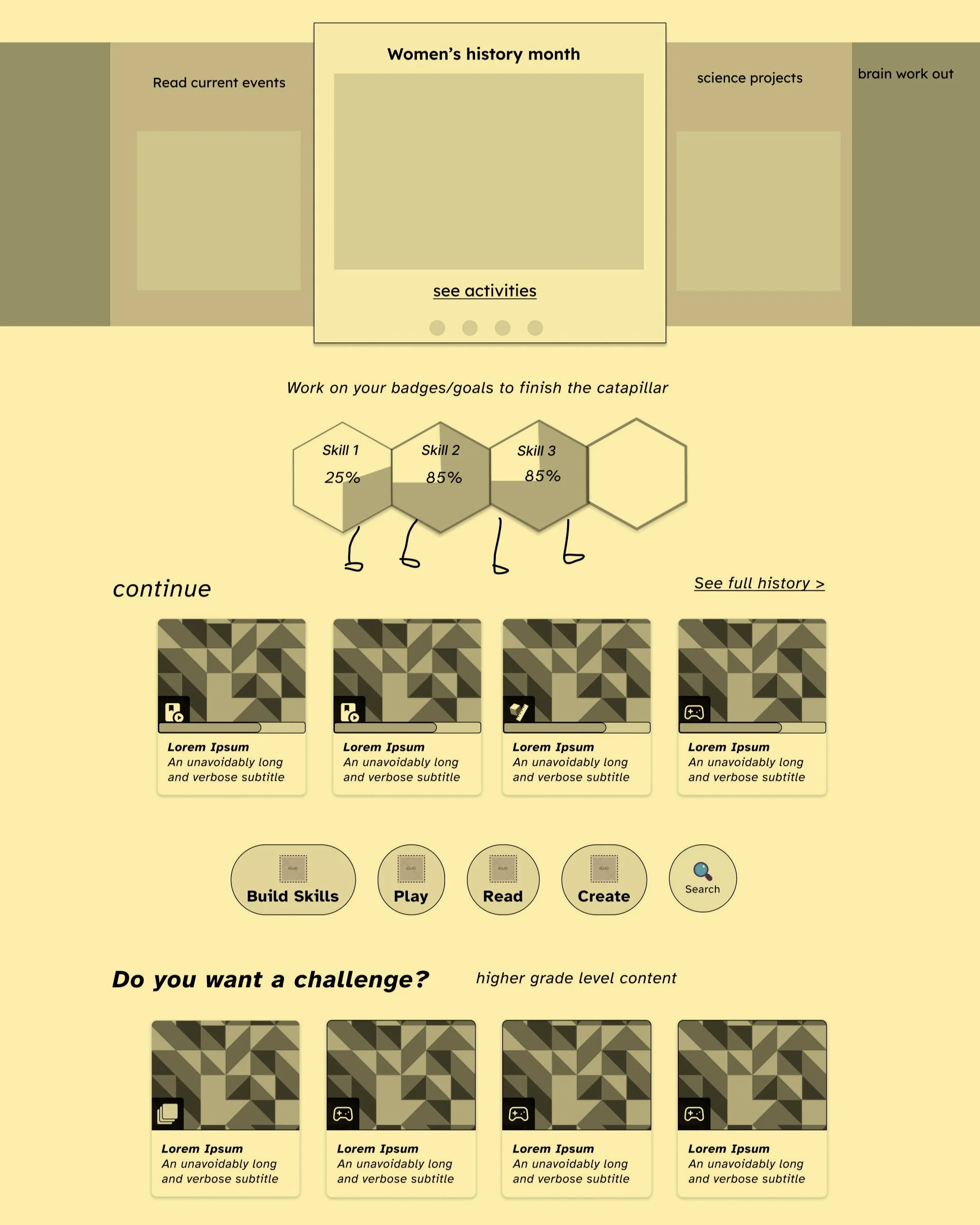
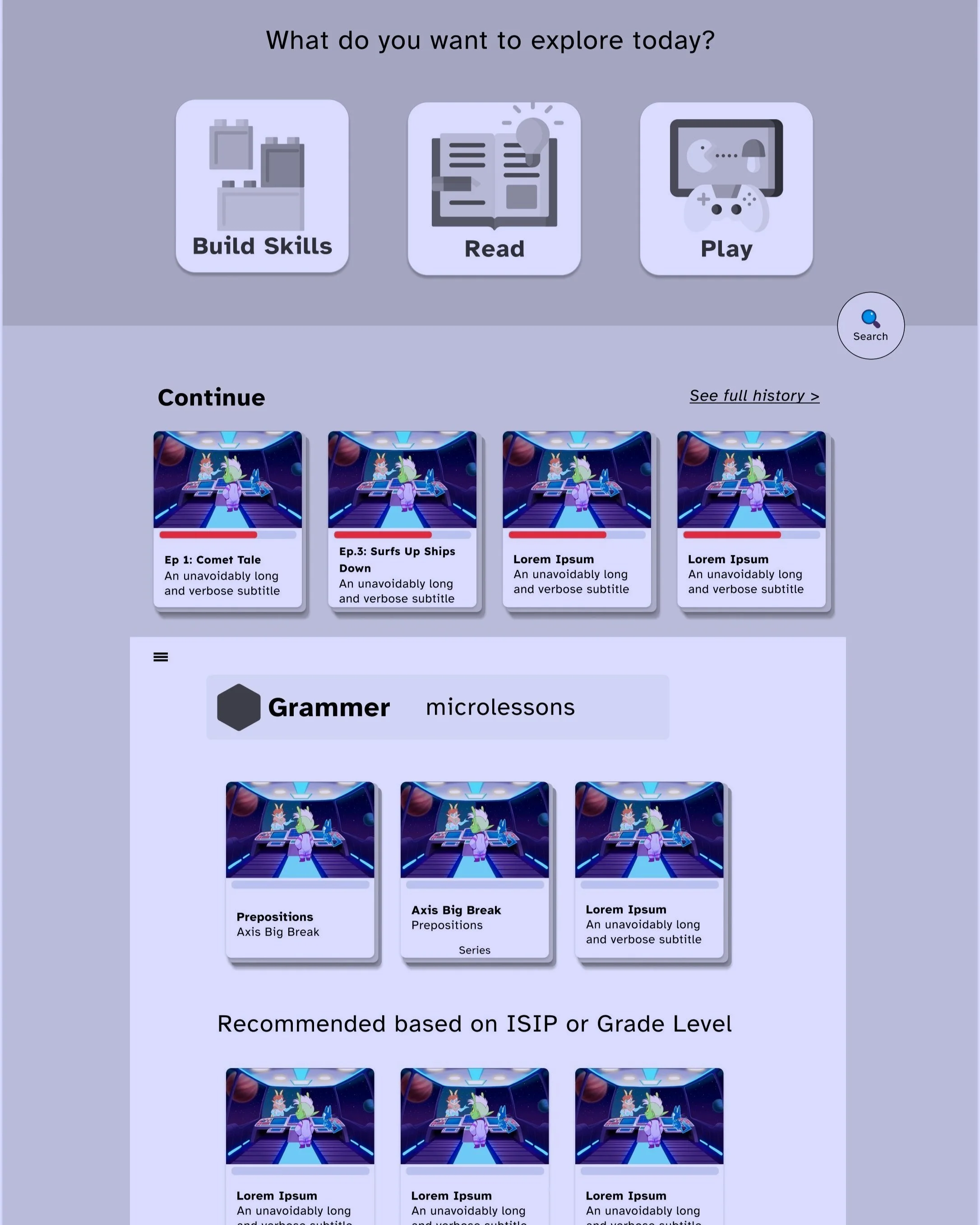
Using action verbs as section names students could create, read, play games, build skills and explore.
Initially, it was unclear what could be included in the menu due to content that couldn’t be accessed. So the design ended up being more minimal.
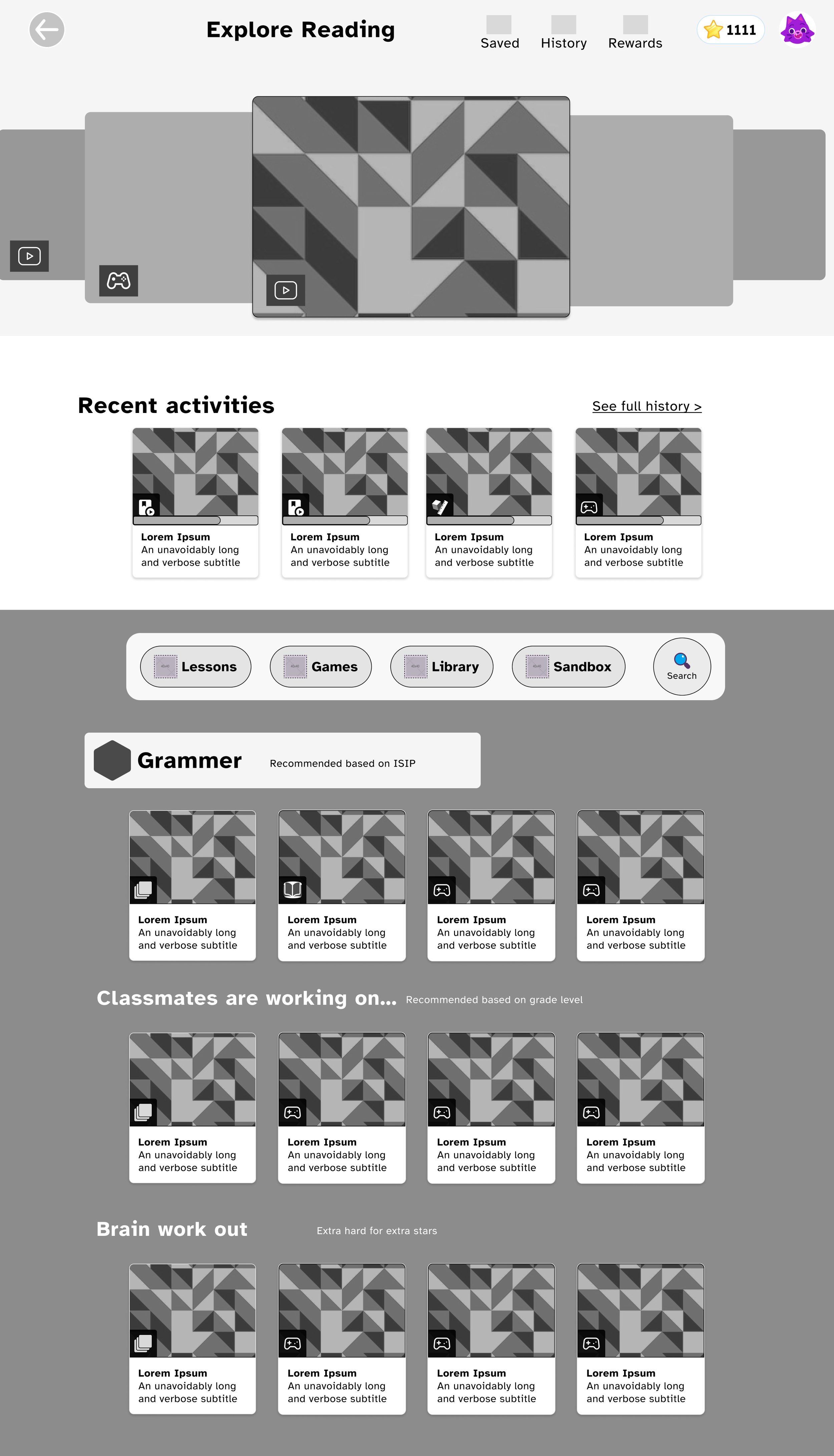
Conceptual mockups
During wire framing, designers, developers, and stakeholders communicated consistently. Initially designed for various content types, but ended up including micro lessons only. These are designs for if there was more content.
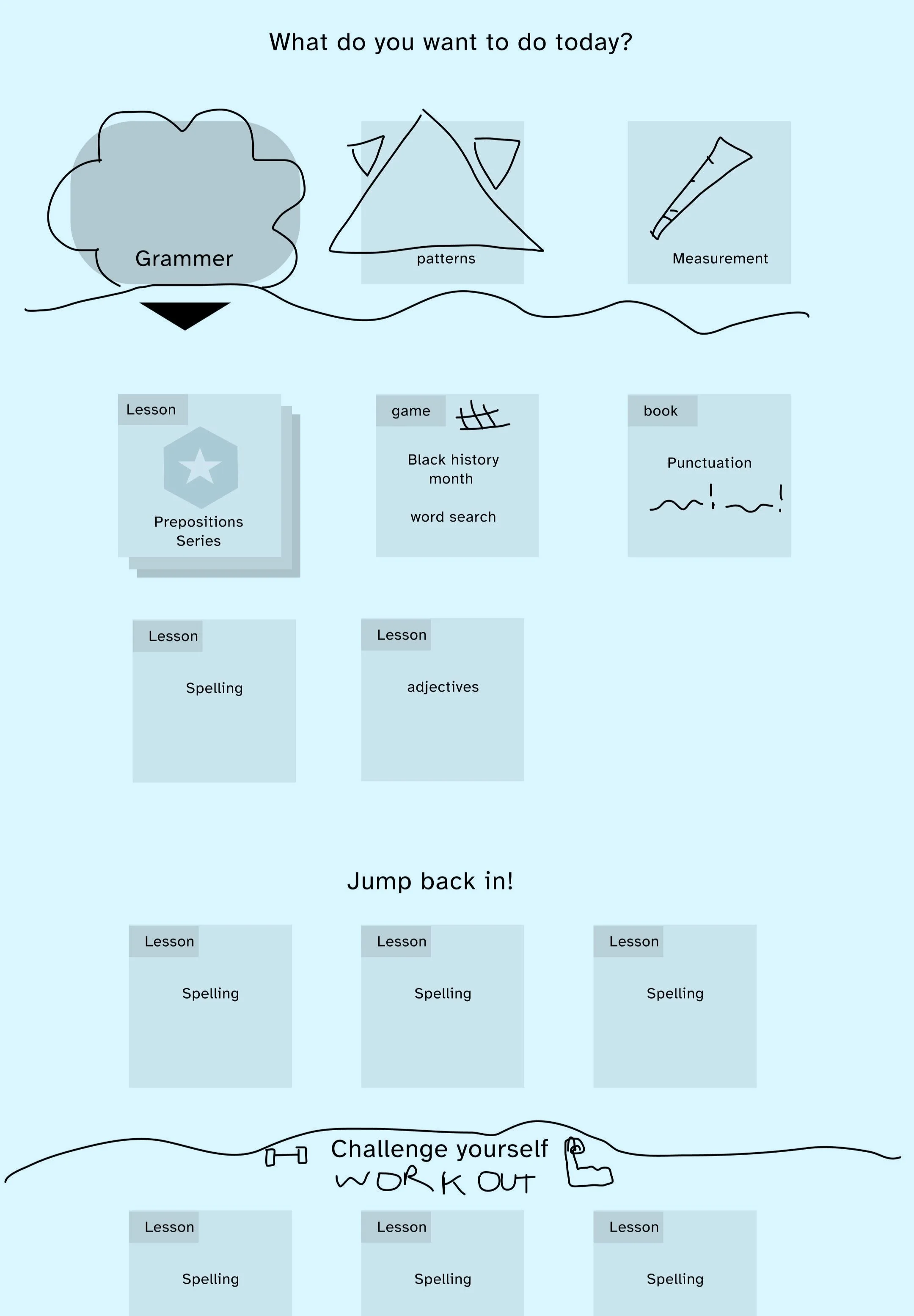
Information Architecture
Needed to figure out the information structure and organisation of content in order to design the page layout and cards:
Each video and series of videos contained this information about it:
Series, episode names
Domain- example: grammar
Sub domain- Ex. Parts of speech
Skill group- Ex. Nouns
Skills(student friendly standard name)- Ex. Function of nouns
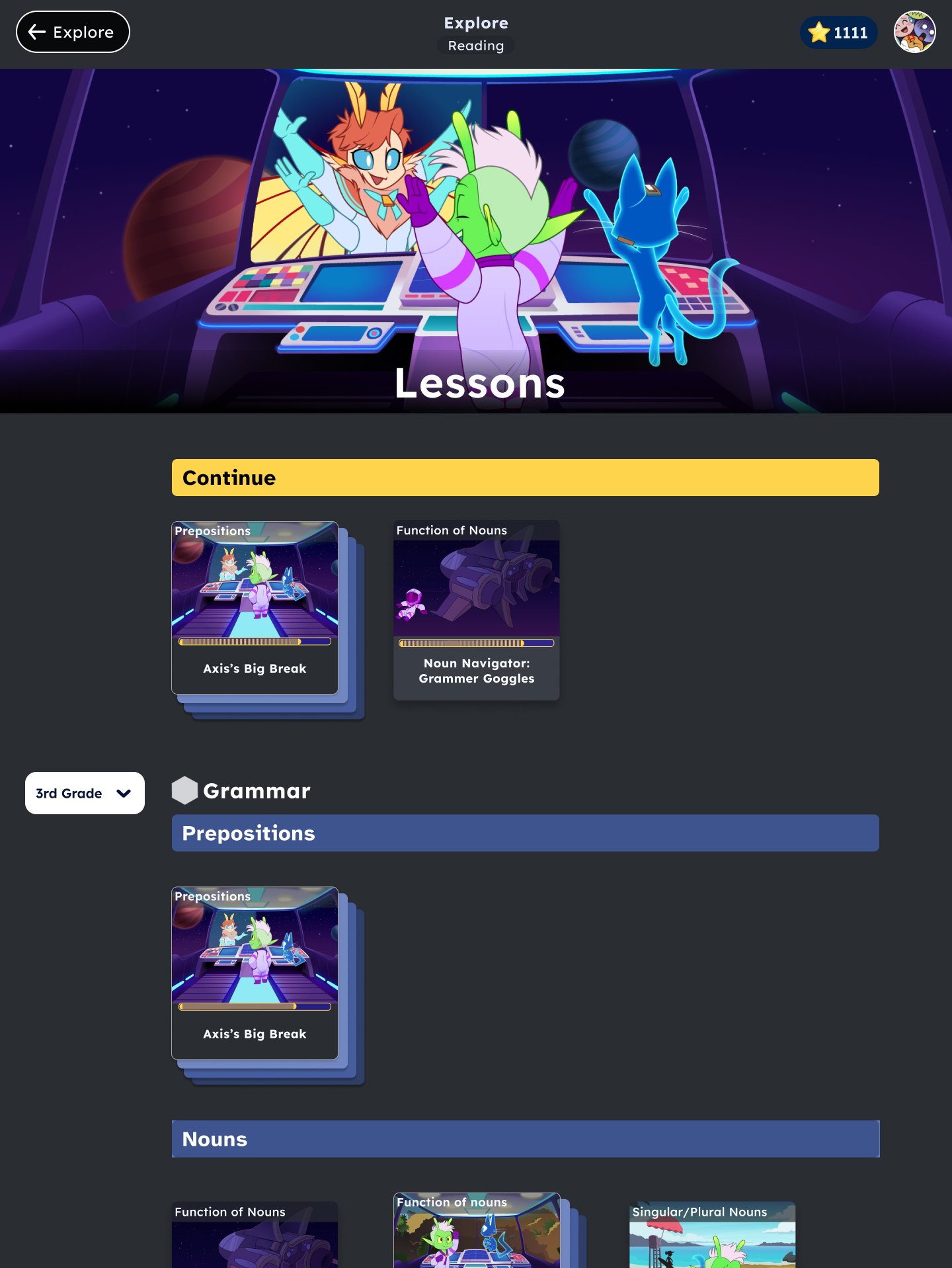
Medium fidelity Design
I added different filters to sift through a lot of lessons from various skills domains. But then it turned out that we wouldn’t have enough content in time to make filters necessary. The only filter we needed was by grade level.
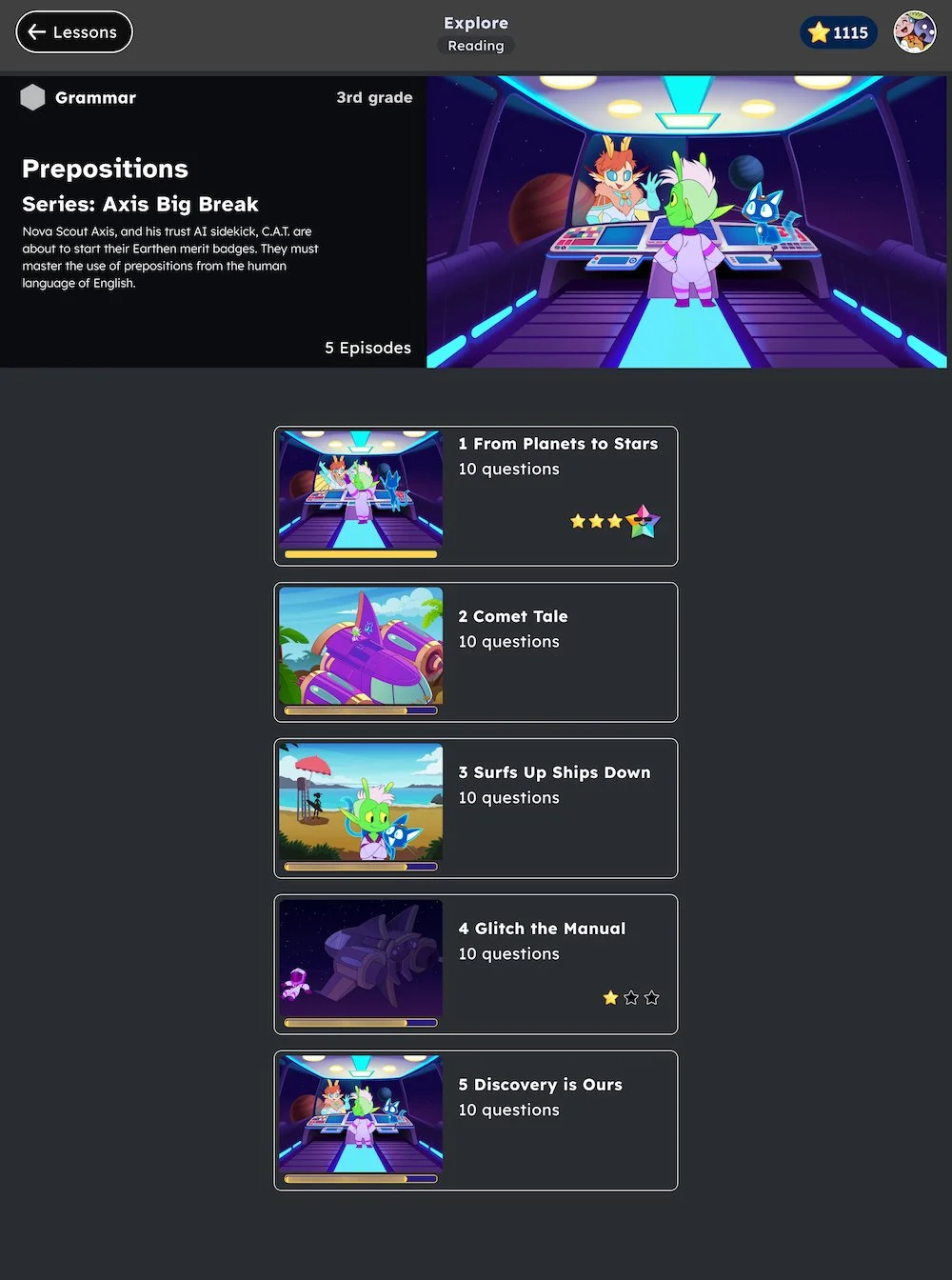
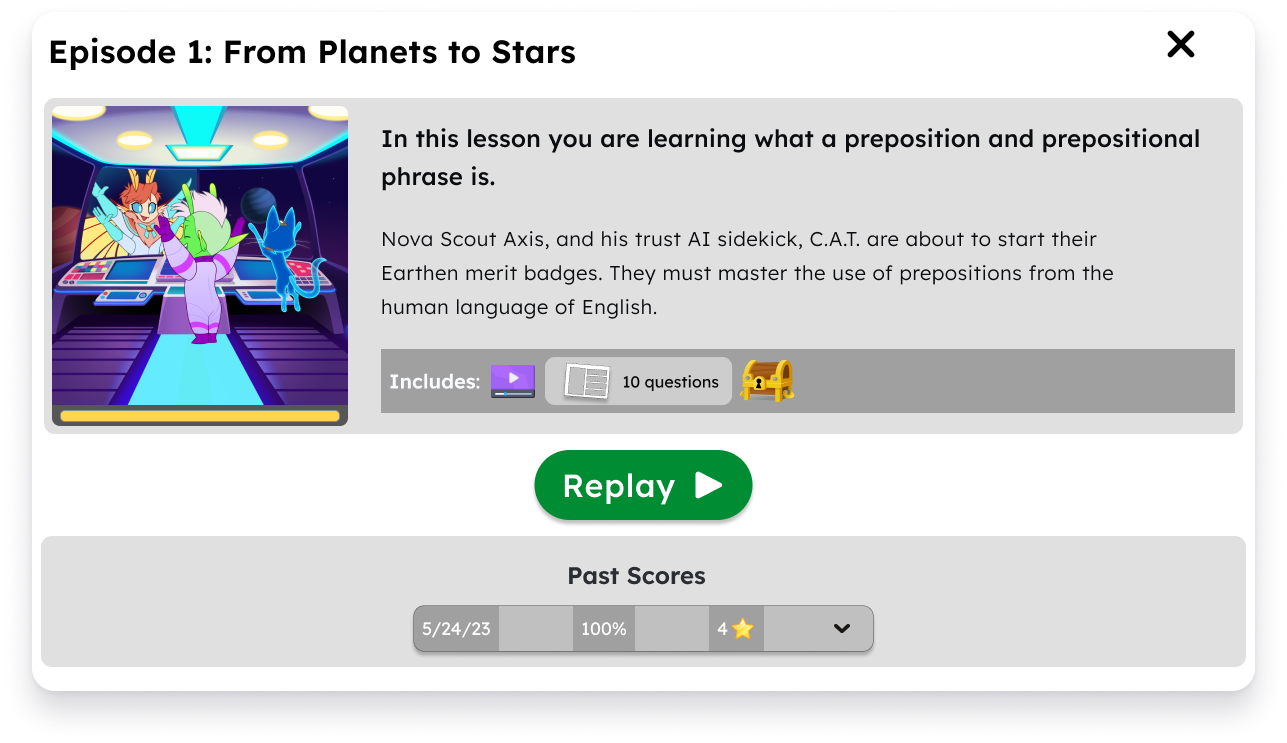
User testing
User testing takeaways:
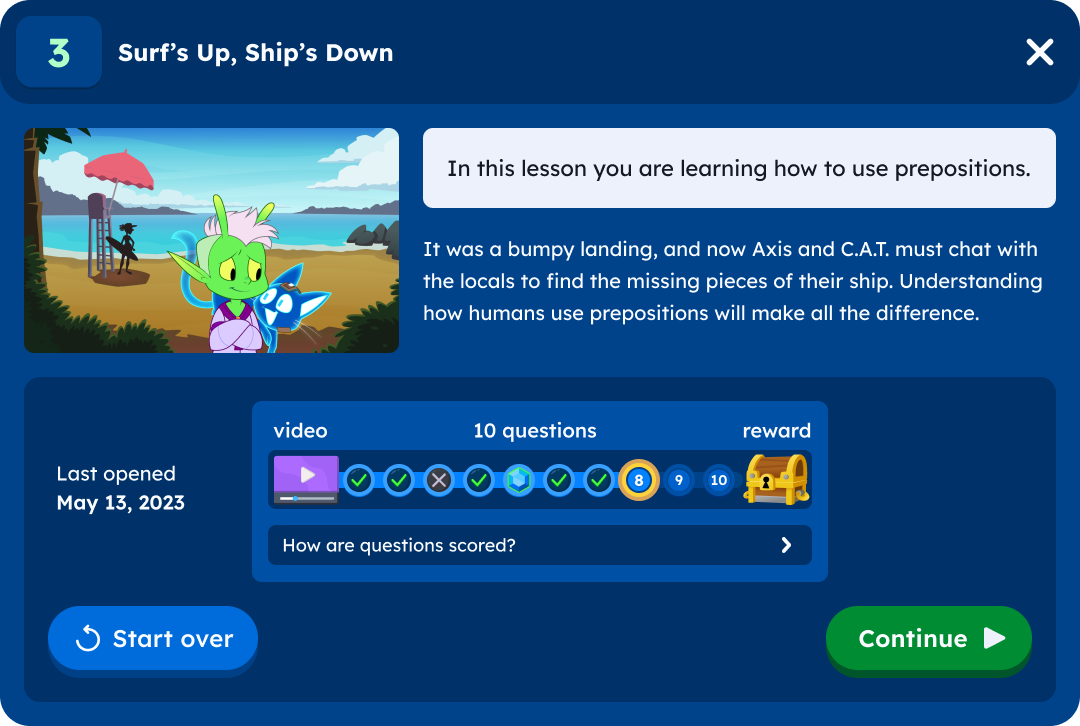
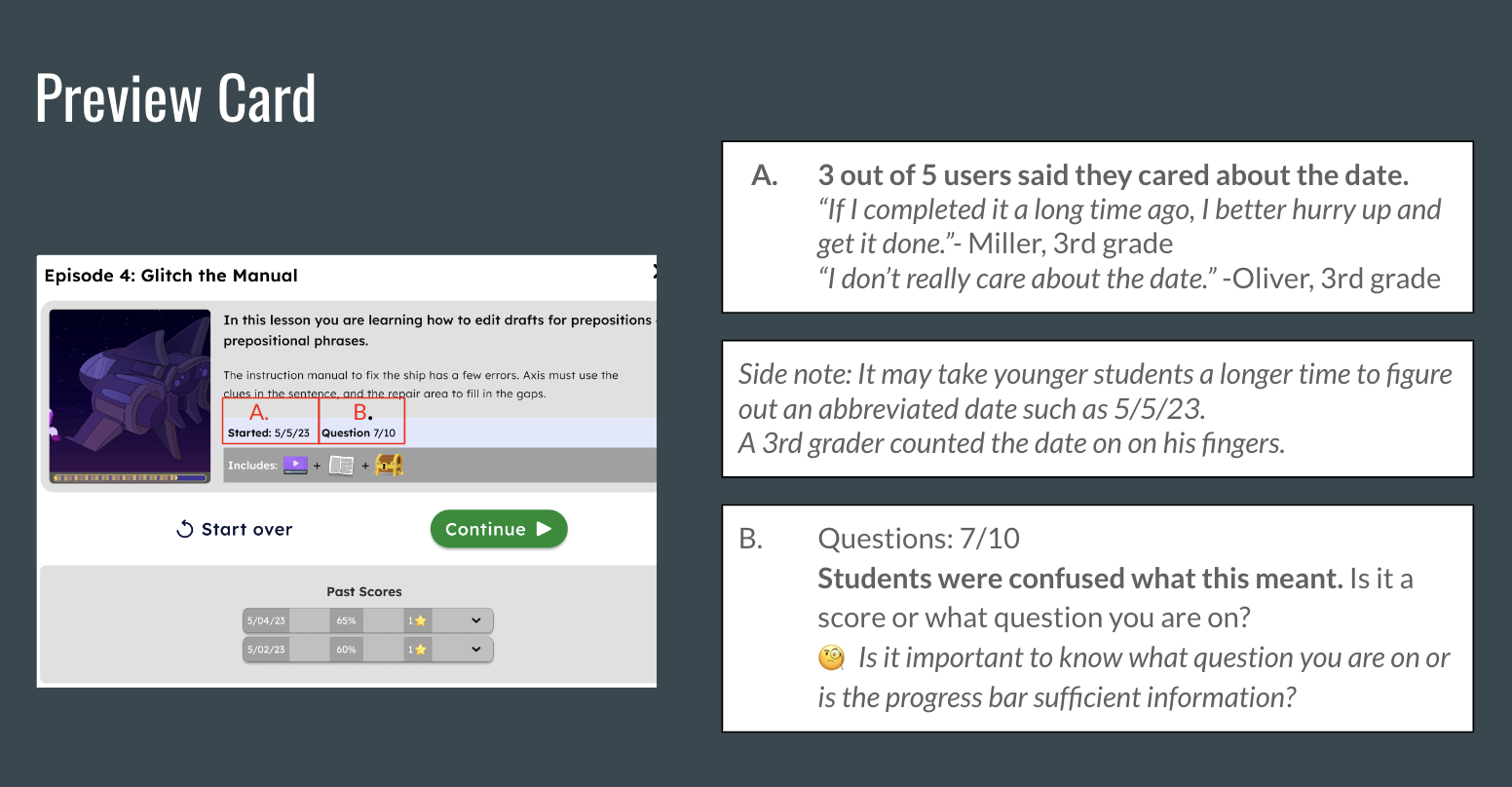
Students needed more information in order to decide if they wanted to start over or continue
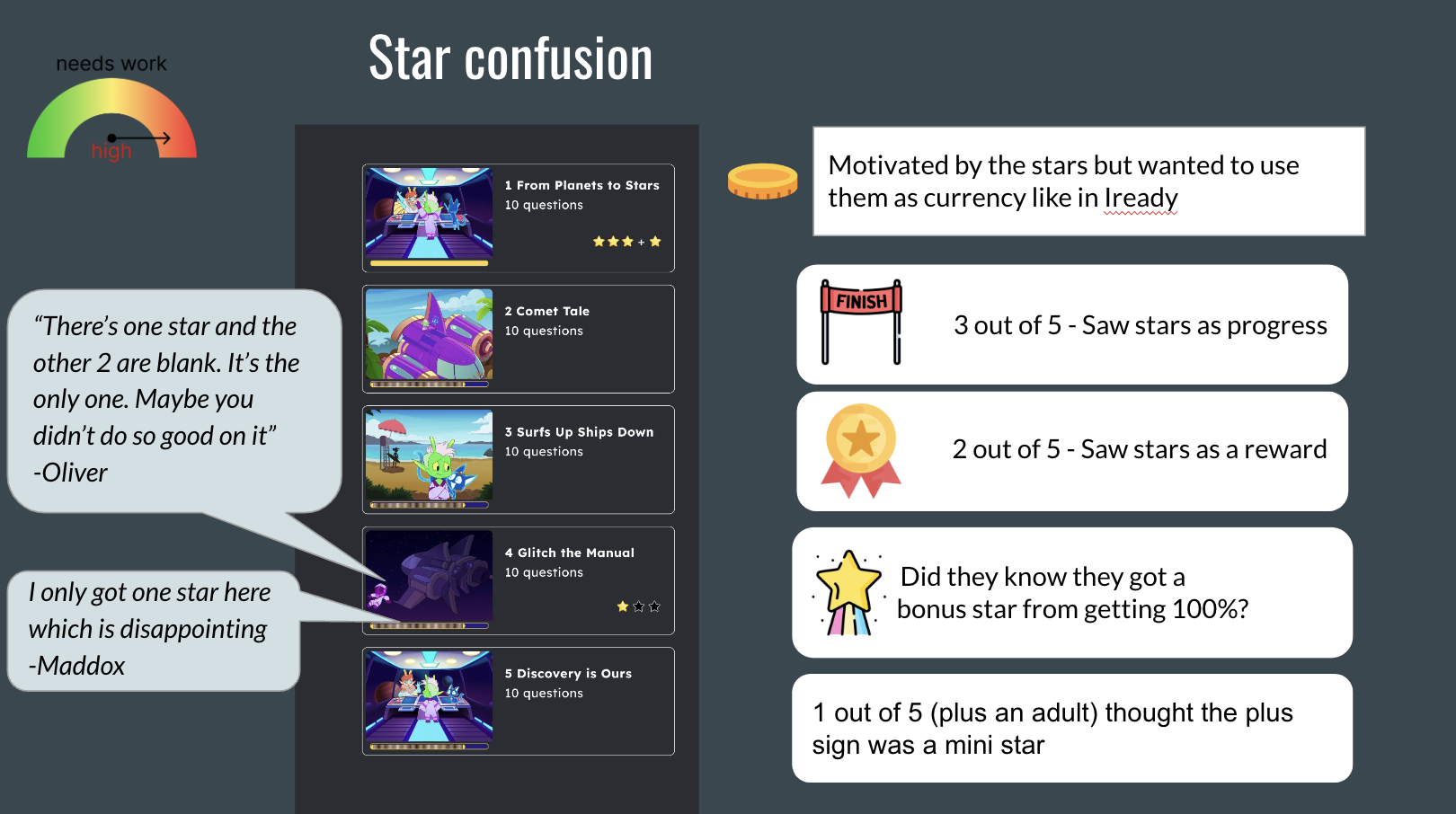
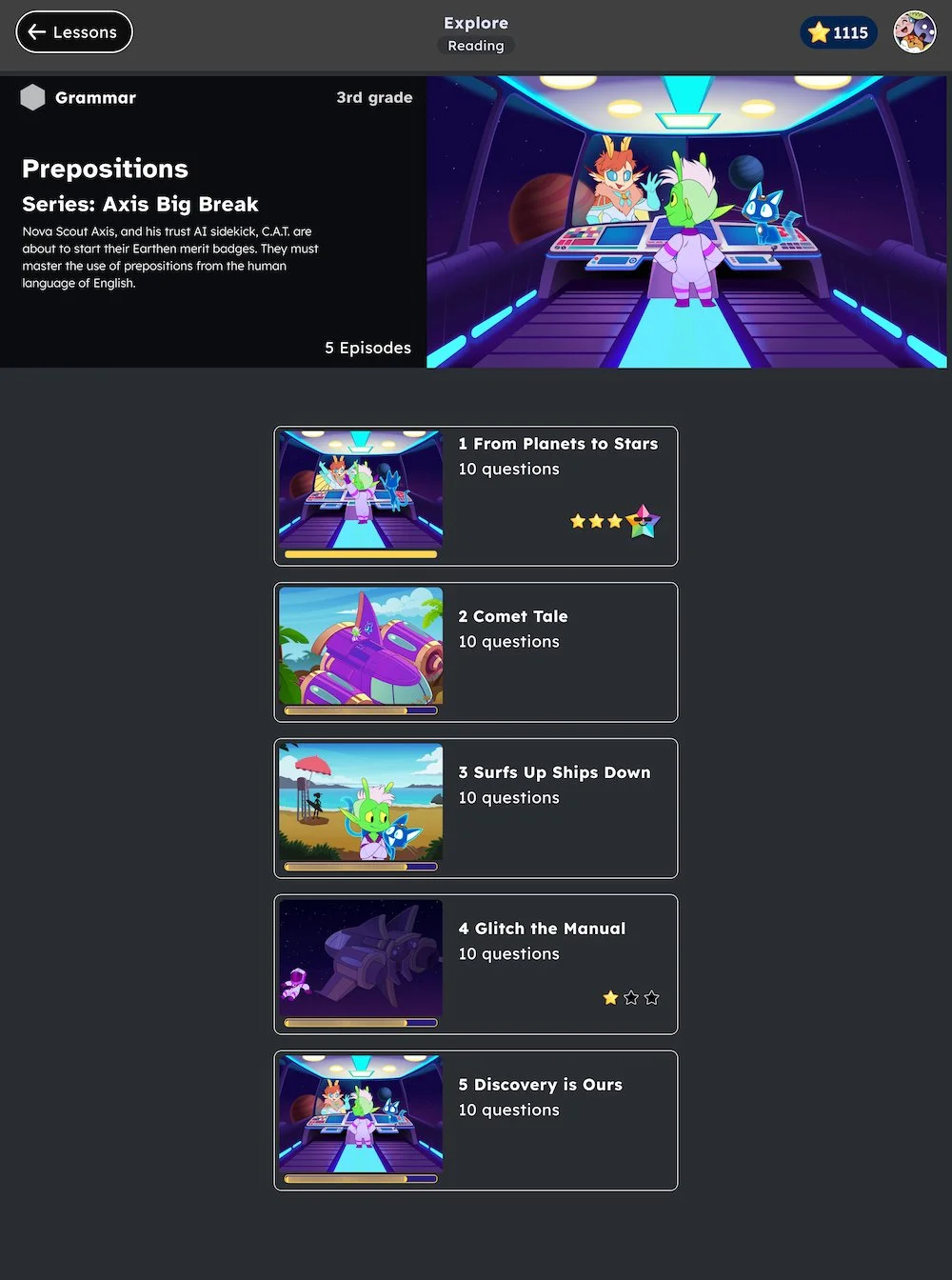
The stars where confusing being on the card
Younger students have trouble with numeral date
Next steps:
I led a design session collaborating in Miro to solve these problems.
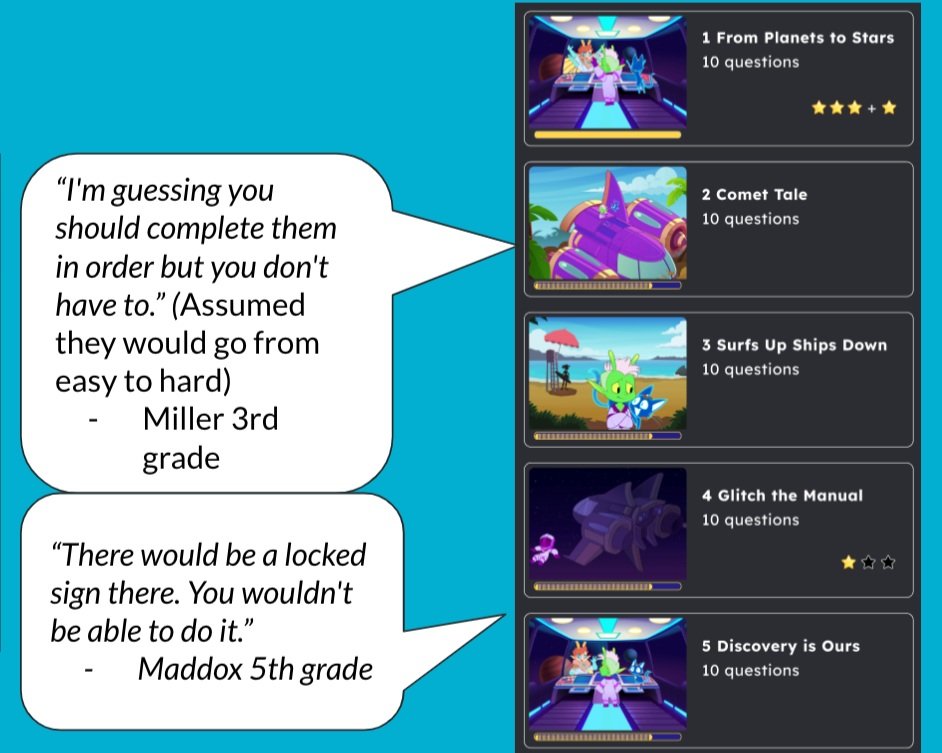
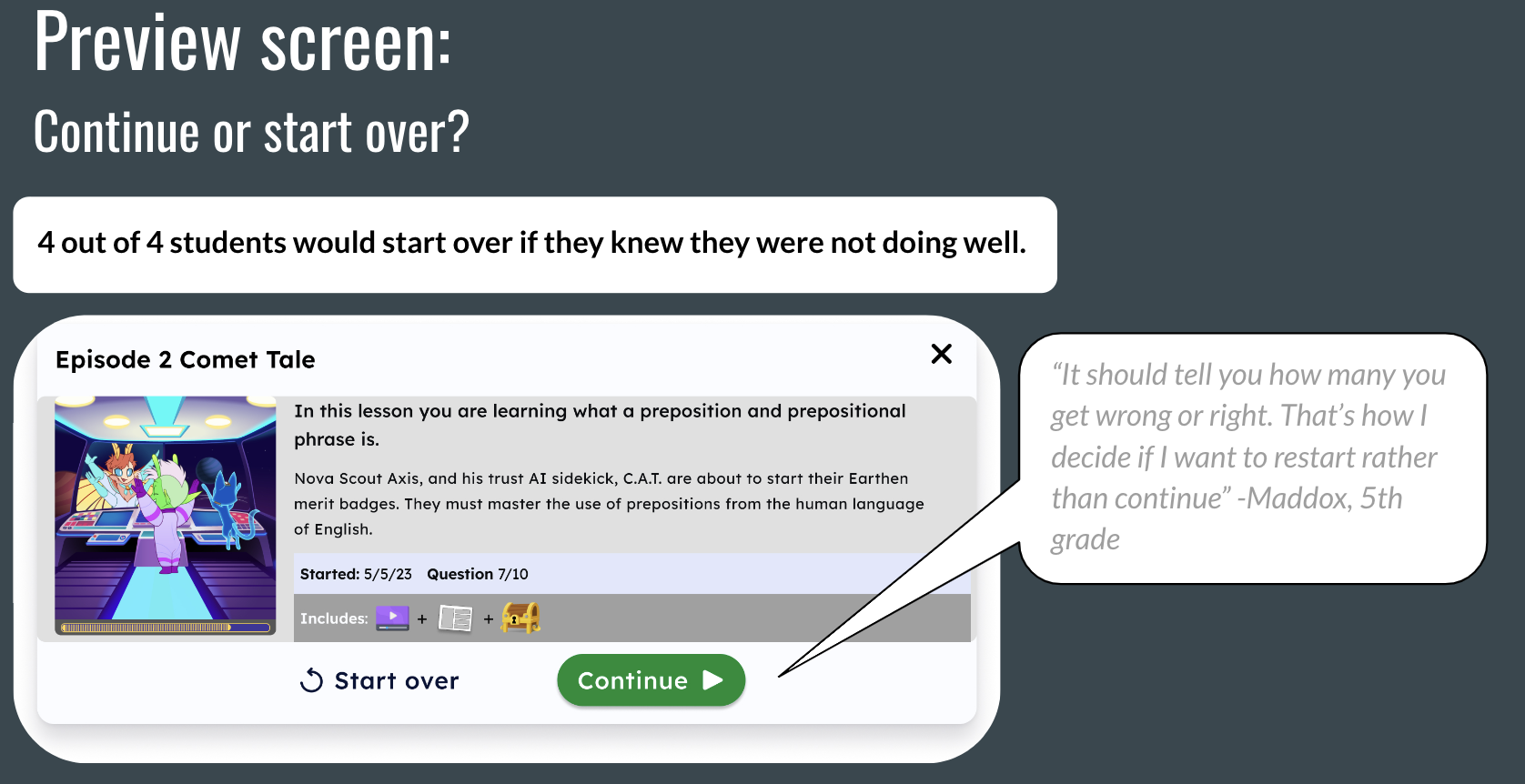
Iterate on design
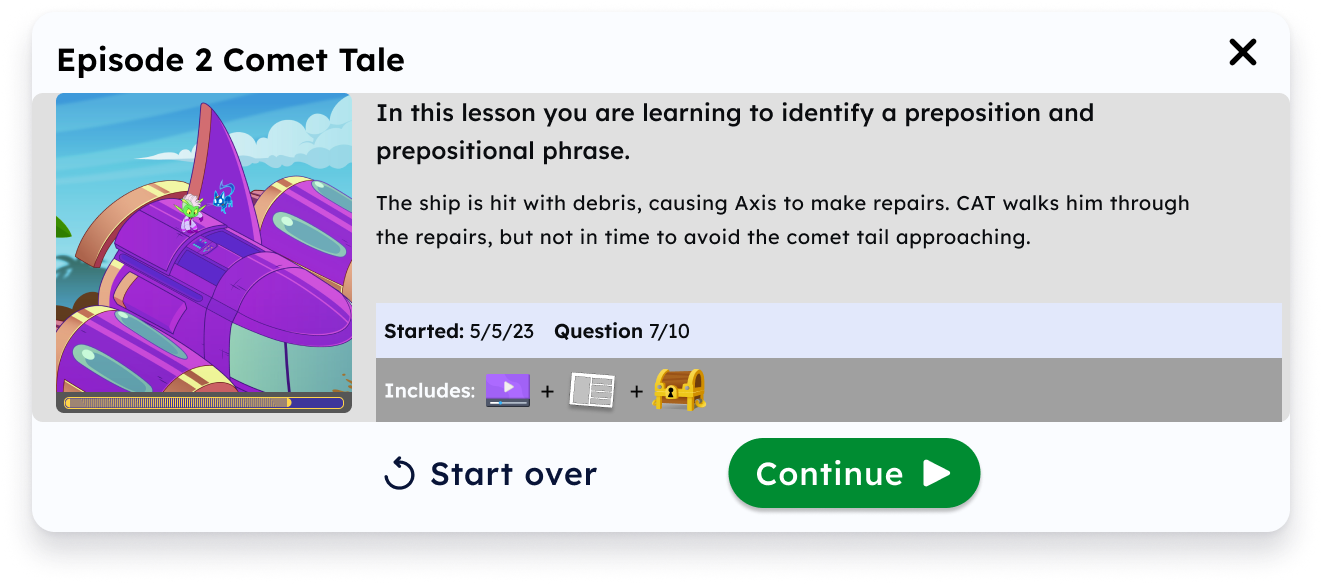
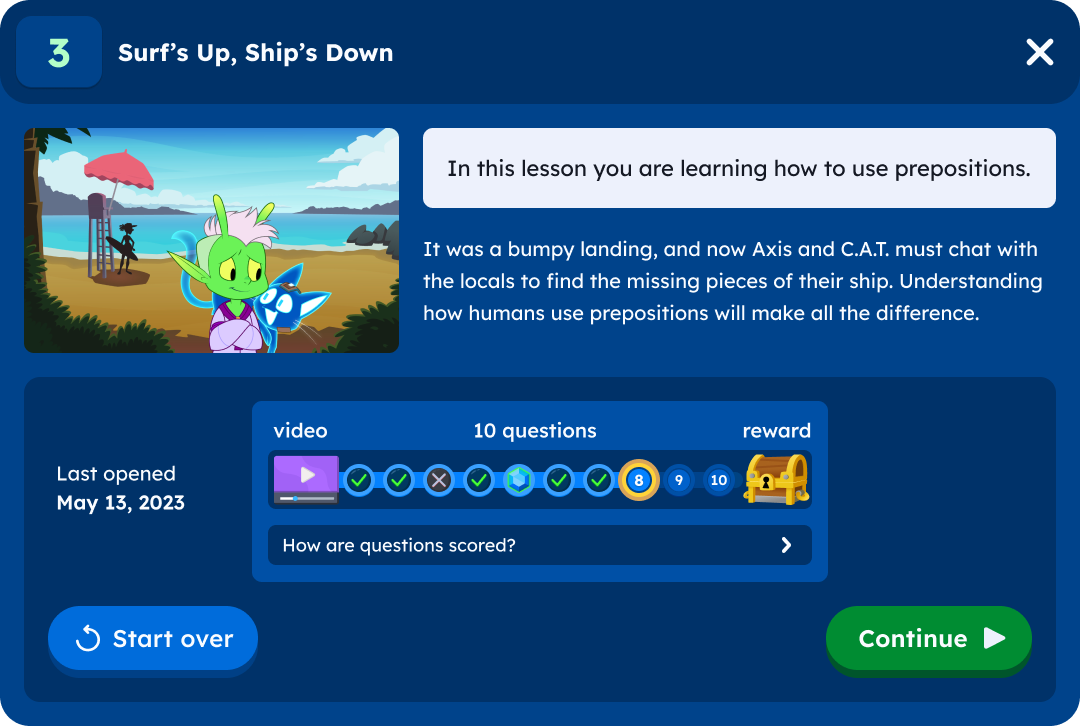
Preview screen changes:
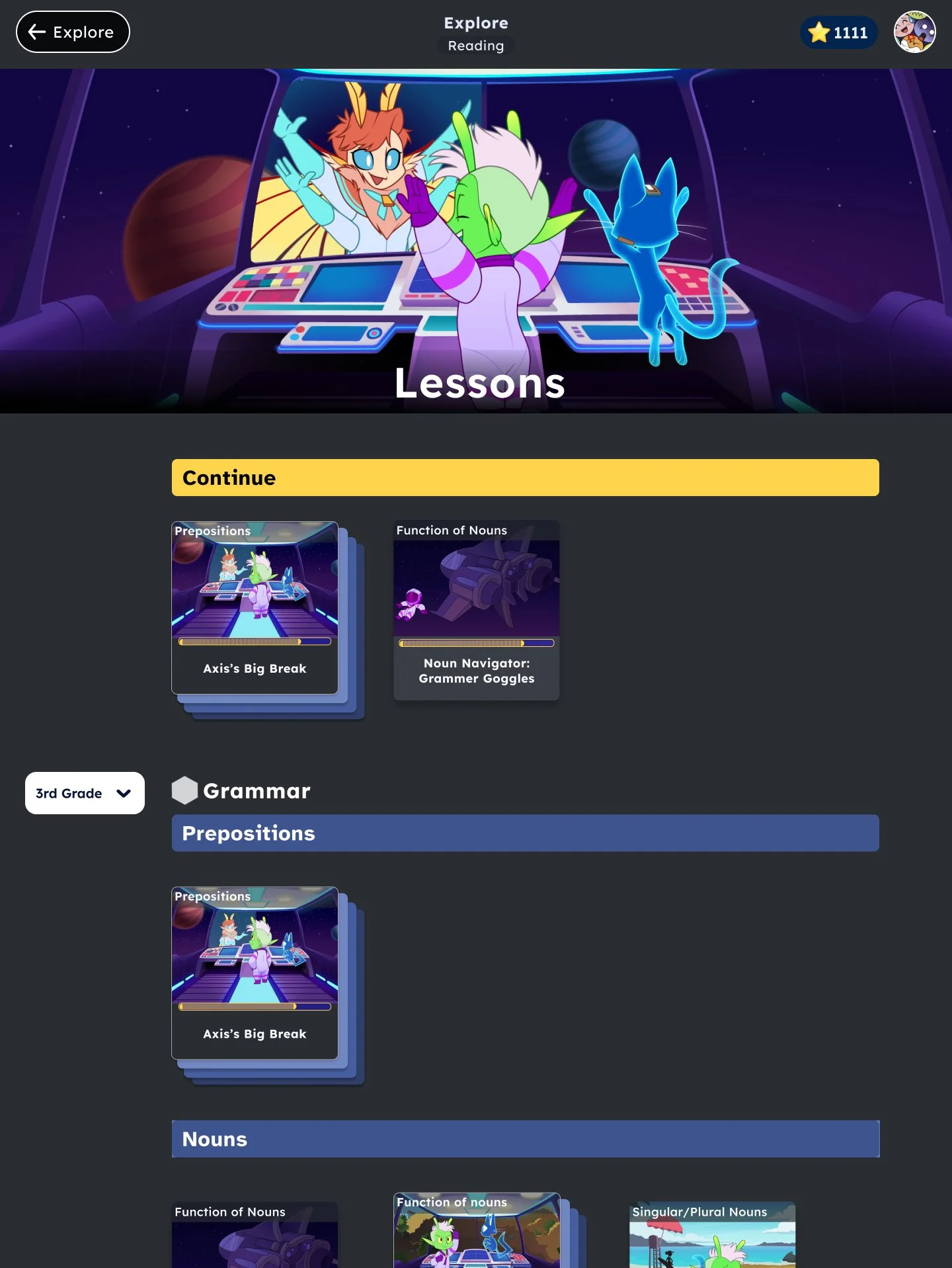
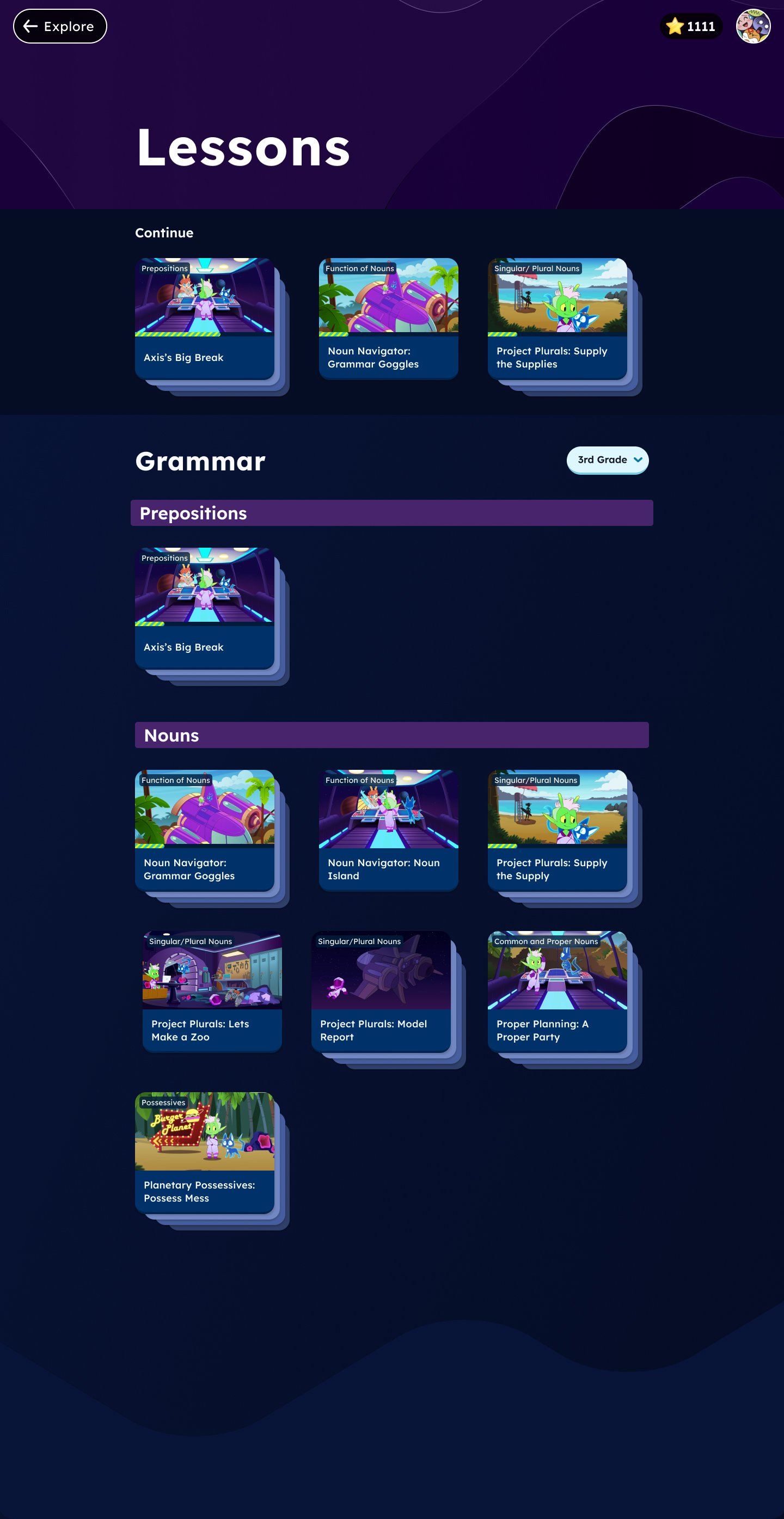
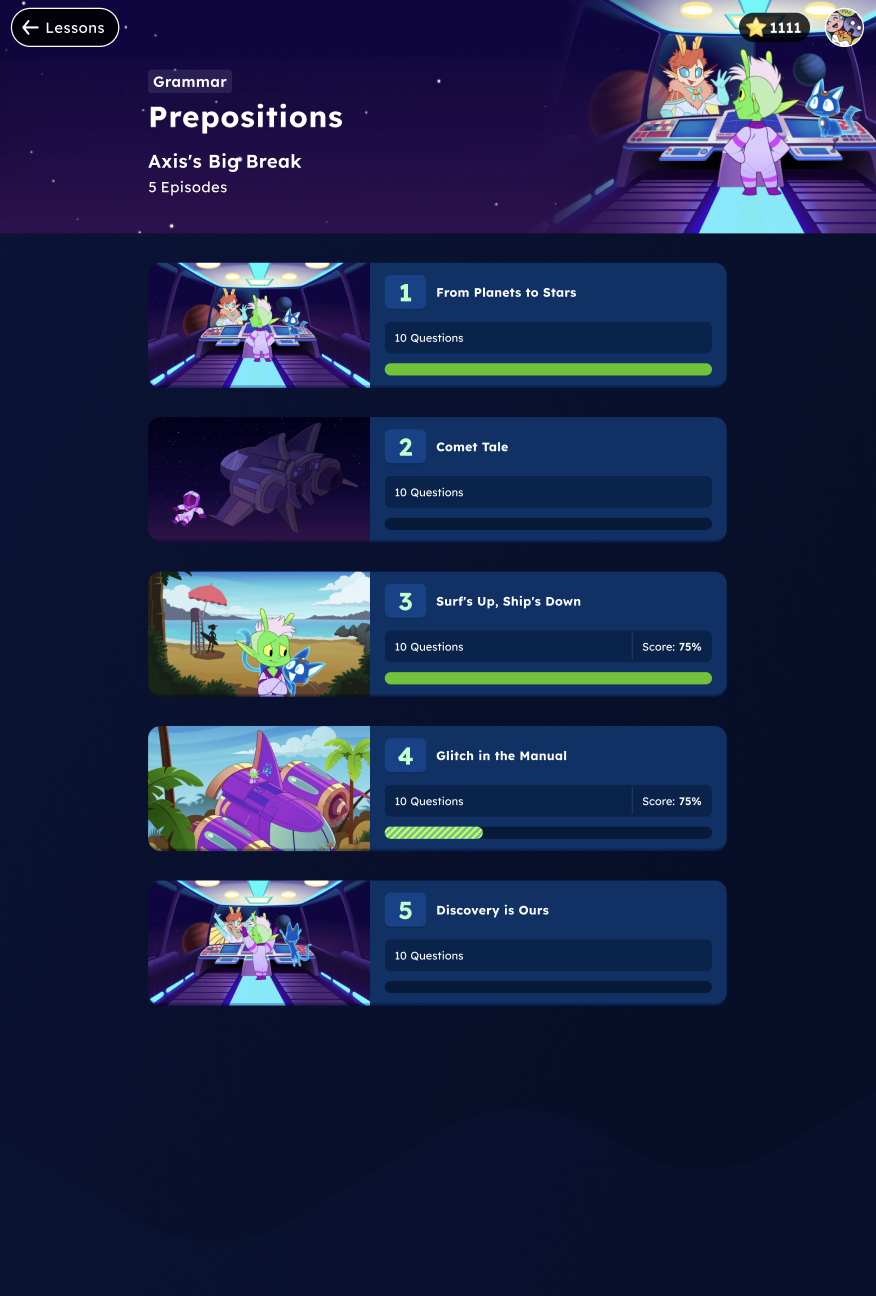
The progress bar was added into the design so students could make an educated decision whether they wanted to start over or continue where they left off.
along with a key to show what the icons meant
The date was spelled out
Revisions on main lessons page and series page
click and hover on the image to get more information on the changes made
Next Steps
Designed the flow of a student getting assigned a microlesson.
Progress page to keep track of their work